

To download one of those collections, simply click on the yellow disk icon underneath the name.

Thanks :o)
To be able to use these following files. You will need to transfer the .D64/.PRG images to a real Commodore 64 using an XE1541 cable with Star Commander (you can also use XM1541-cable with Starcommander and with userport driver under XP too) Alternatively, you can download one of those three highly recommended C64 emulators.
The tools should also workusing VICE, theC64, 1541Ultimate and Ultimate 64, etc.
Latest submission: Tape Master Pro V5.0
CCS64
VICE
HOX's 64
Alien Formation Maker V1.0 (2016)
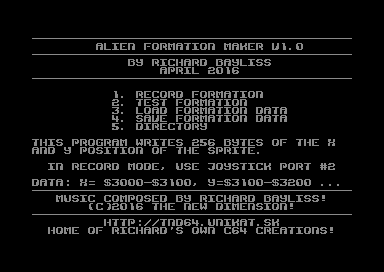
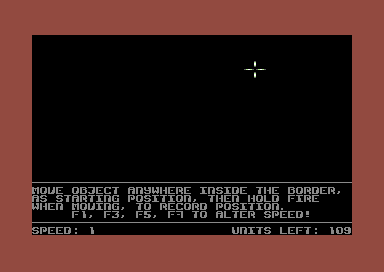
If you program games, and stuff like that (or just want have a little toy to play around with). Then Alien Formation Maker V1.0 is just the too for you. This program allows you to record your own sprite movement, and generates a 256 byte table for X position, and a table for Y position of the sprites. This tool features a record and playback of the alien formation and allows you to load/save your own sprite formations. F1, F3, F5 and F7 (in record mode) will allow you to set the speed of the sprite movement. If you wish to mix the speed be careful to not stop the joystick, and let it go when pressing the FUNCTION keys. The stoppage is also recorded :)

Alien Formation Maker V1.0+ (2016)
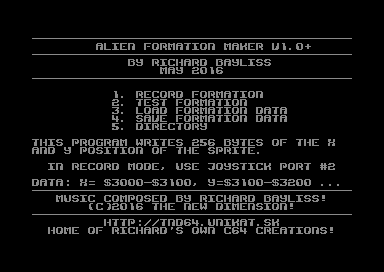
This is an improved version of the same program above. A couple of bugs have been fixed. So this version is most recommended to be used instead. The bugs fixed are as follows:
- Directory option clears screen before displaying the directory (After viewing the dir. Press SPACEBAR to exit it :)
- Recording of formation didn't write to memory correctly, which made sprite movement out of place, when I tried to playback the data using a standalone program. The tables were not initialized properly. Due to a hi-byte pointer writing the the lowbyte target instead.
Anywhere Muzax Master V1.0 (1999)
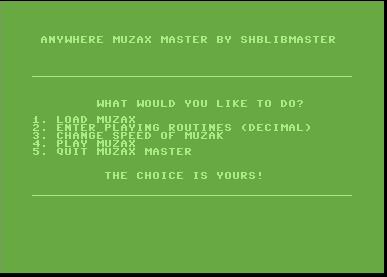
In my beginner years of programming/hacking on the Commodore 64, I created various useless crap and this is unfortunately one of those which people probably could have done without. It is a simple BASIC program that allows you to play ripped music by loading it in and setting up the music INIT and PLAY addresses. Ah well, that's 1999 for you :o)
Blaze Noter V1.0 (2004?)
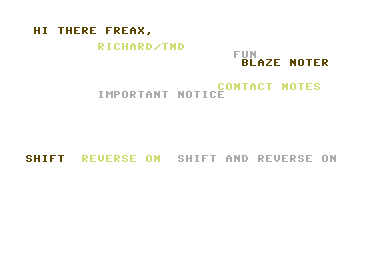
This is a small 1 page noter, that allows you to make 1 page messages. The noter uses BASIC input inside machine language. The program was not programmed in BASIC, so don't try listing it :o)
Bubble Noter V1.1 (2001)
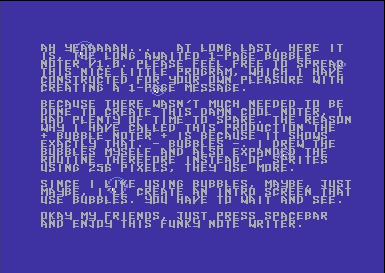
Still in my beginner years programming, I wrote another note writer in 2001 called Bubble Noter V1.1. This was a pretty fun 1 page note writer which also contains bubbles. Unfortunately very restrictive to use, but it sure was fun to make.
Bubble Noter V1.2 (2001)
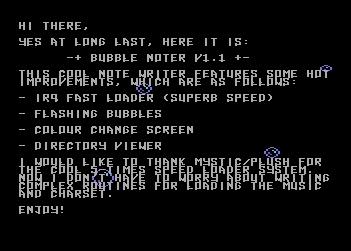
A second version of this small note maker, but still with restrictions. Some flashing was added and also an option to set up the colour of the screen too.
Colour Fantastic (2001)
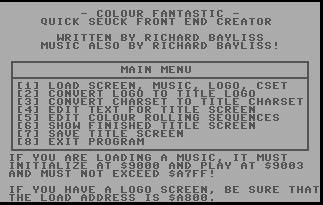
SEUCK users would have been in for a treat with this utility, but with restrictions. This utility allows you to create new front ends and link those to your own SEUCK games. It comes with instructions, but as it was 2001, it was still a learning curve for me to program useful sources.
Digi Organizer + $1000, $1003 Music Player V1.0 (2005)
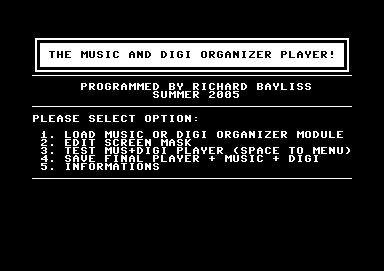
Ever wanted to mix Digi Organizer modules and example tunes together? Well, this program certainly did the trick. You are able to design your own screen mask, load in music in Voicetracker or Goat Tracker format, and also Digi Organizer modules. Handy for some, but not for everyone.
DRAZ Paint Viewer (2001)
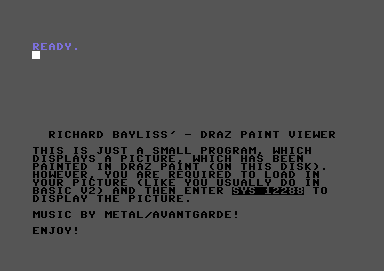
A little utility I wrote for displaying pictures that have been drawn in Draz Paint by Noice.
Extreme Demo Maker V1.0 (2004)
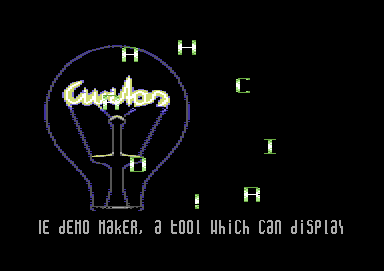
A fun little demo maker, that doesn't do much, except for display pictures painted in Koalapaint and also swirling sprites, and play music in the background. There is also a little scroll text writing option for you to write your own scrolling message, greetings, etc and also load in your own music. This is also another utility that got released on the Commodore Scene cover disk.
EZ Linker 1.0 (2002)
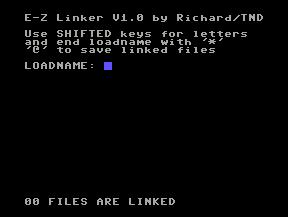
A rather useless linker. Loads multiple files, then saves it all as one huge file. .
Handy Pack V1.0 (1999)
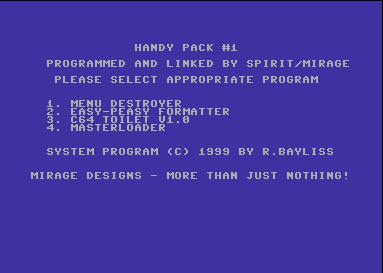
A mini compilation of Disk BASIC programs with various pointless utilities. This also got released on the Commodore Scene cover disk as well. Why the heck did I submit this or create it in the first place?
Menu Destroyer is a simple program that will remove/scratch any unprotected programs which is named menu, so that you can add a new menu on to your disk. Very pointless and stupid. But hey, I was a student in those times :o)
Easy-Peasy Formatter. Well, you can format your disk at a BASIC speed, (slow). Still yet again pointless.
C64 Toilet V1.0 allows you remove unprotected files that you no longer want on disk. It basically scratches the file from your disk. (Where does the toilet come in to it? Well, if you press '3' you'll see. :o)
Masterloader. Is it a tape mastering program? NO, it's yet another thick, stupid and pointless tool, which you enter a filename on disk and load and run it. BAH!
All in all, this is a crap compilation I did in those days. Haha!
Jammy Packer (2003)
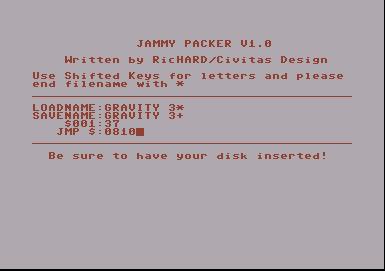
A joke compactor, written for the Useless Tool Compo at Vision 2003 party.
Kernal Basic Linker V1.0
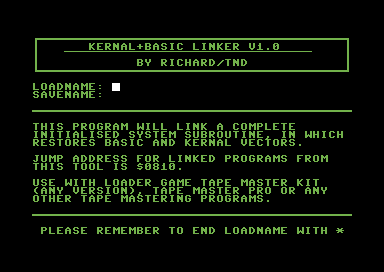
Are you experiencing trouble mastering your own C64 creations to tape using Tape Master Pro, Multi-Load master kit, or Loader Game Tape Master Kits, or any other kind of tape loader? This program links a patch before the decruncher of your main program so that you can master your games to tape more safely. Before you use this program, the TND intro reads spacebar, and moves the cursor forward one position. Press DELETE to move the cursor back to the correct position.
Koalapaint 2 Frame Picture Animator V1.0 (2010)
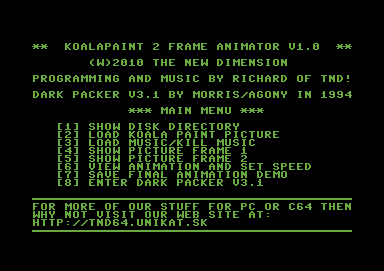
So then, have you ever wanted to create 2 frame picture animation demos and play music? Well, this is probably the tool for you. An improved version might be made later on this year, for example music INIT + PLAY options and probably also a scroll text option. The main reason for why I created this tool is detailed in the note file supplied inside the .D64. The program also contains a public domain utility by Morris/Agony called "Dark Packer V3.1", which to my general opinion is a very useful and pretty cool fast packer for squeezing the file size down after saved as a final animation demo.
Koalapaint Picture + Music Linker V1.0
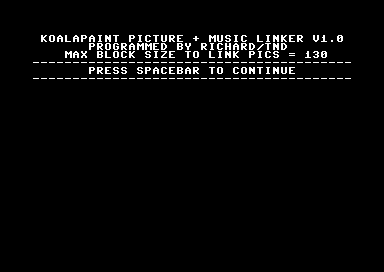
Back in the mid-late 1980's there were various good KoalaPaint picture linkers by the Beastie Boys, and CFB, but none of those tools allowed you to load in your own custom music player based at $1000-$1fff. So I decided to created one of my own. This tool is very simple to use, it allows you to link a game with a BASIC SYS call, to a picture displayer and play music in the background. The linker also has a nice little transition, while drawing the picture. If you decide to use the picture linker in your game productions. Use $0810 as jump address when packing/crunching everything together..
Loader Game Tape Master Kit

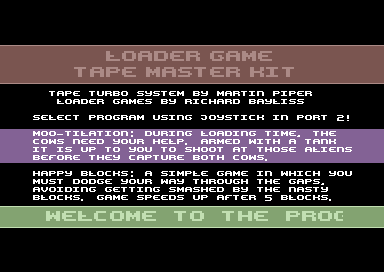
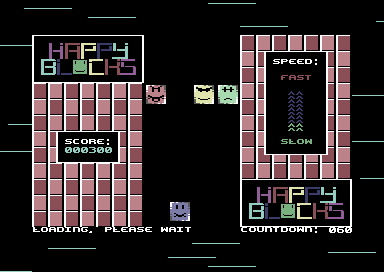
This is a tape mastering tool, which allows you to write your own programs which use a BASIC SYS call (IE SYS2061, etc) to tape with a high speed tape loader and one of my two loader games. Moo-Tilation or Happy Blocks (pictured above). The options can be selected via Joystick in port 2 or emulated joystick. Then it is up to you to master your own games to tape automatically. Make sure filesize is not BIGGER than 135 blocks, else the mastering will fail. The tape loader will not work on BASIC programs or some programs - unless you program routines that will initialise the whole machine. Also tested to be 1541U2 compatible :)
Want to get started:
Before using my tape master tools, maybe you may want to work out how to get the BASIC SYS call as hexadecimal. Using a M/C monitor in the Action/Retro Replay Cartridge (Or Tasm/Codenet) type in the following command:
N 2061
Result will show in the console output:
$080D
So, if you need to find your BASIC SYS start address. Type LIST. Then use the N command in the M/C monitor.
Loader Game Tape Master Kit 2
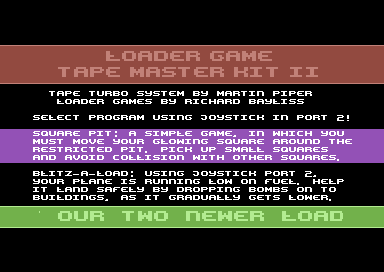
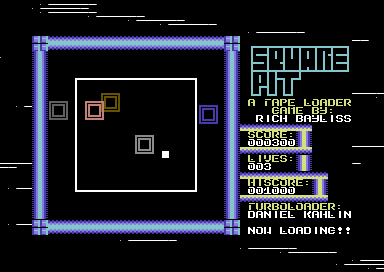
This is a second installment of the tape mastering tool, which allows you to write your own programs which use a BASIC SYS call (IE SYS2061, etc) to tape with a high speed tape loader and another two new loader games. Square Pit (pictured above) and the unused new loader game Blitz-A-Load (Which might be used some time in the near future). Select one of the two loader games you wish to use and get it all mastered to tape :) Loader system also uses load error detection and may support files larger than 138 blocks.
Loader Game Tape Master Kit 3
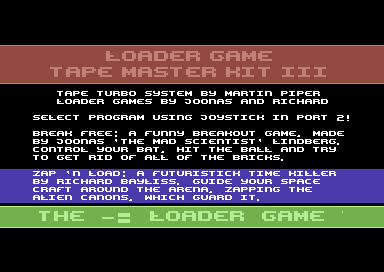
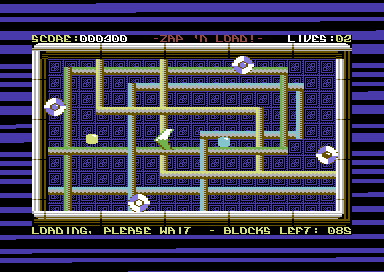
The third installment of the loader game tape master kit. This time you can master your own games to tape with Break Free, a crazy breakout game by Joonas Lindberg (Program size to master to tape Max 190 blocks). Or (pictured above) Zap 'n Load by Richard Bayliss (Program size to master to tape Max 125 blocks). NEW feature includes a loading stripes selector. (Select the EOR code for the black+whatever colour thick loading stripes) or select thin or classic multicolour loading stripes to suit your needs. Huge thank you goes to Joonas for kind permission for me to use Break Free.
Menu Maker (2001)
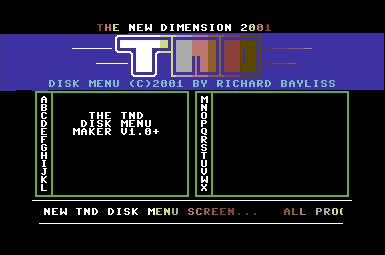
My very own attempt at making a disk menu program. Not bad for my first attempt, but it is pretty tricky to use. You have to manually input the name of the files and then afterwards rename all of your files on disk to A. to X. Nice to have music on this though.
Mini Notemaker V1.0 (2002)
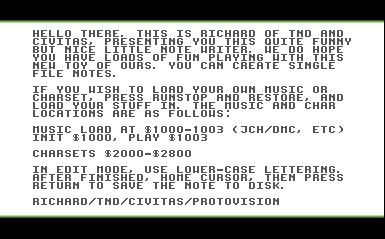
Those 1-page noters still roll on. Yes, it is another nice noter, but yet again with restrictions. You have to load your music and charset from BASIC. Not that bad noter, but editing wise, not all that good either. I still can use it now and then, so there's not much of a problem with that..
MSCK Charset Converter (2001)
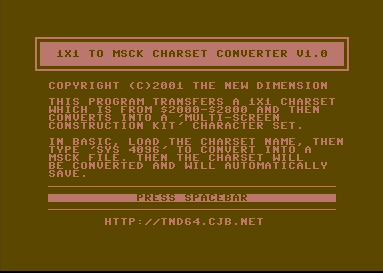
A small utility which I made that converts a normal charset into a charset for use with Multi Screen Construction Kit by J.Wells.
Noisy Notemaker (2003)
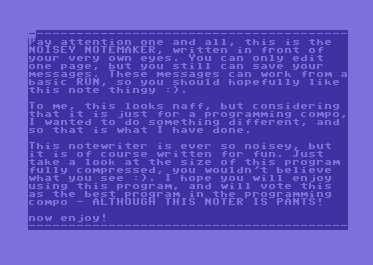
When will those 1 page note makers stop? Well, here's another simple one which I wrote for the 2003 programming compo. It never won, but it was something quick and probably is handy for very small 1 page notes. After the note displays, the characters use a different sound. Yet again not really that interesting.
Page Linker (2006)
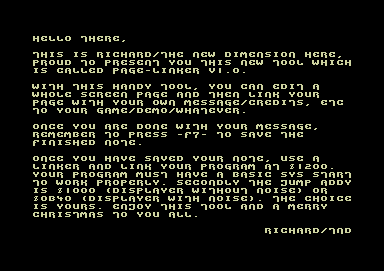
A 1 page note linker, which can be used to write your own messages and then link them to your games.
SEUCK Buster V1.0 (2006)
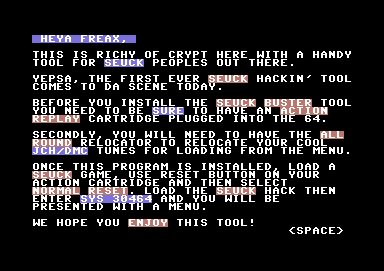
A little utility that I created for Crypt. Unfortunately there's a major bug in this version as saving data is incorrect and screws up the graphics data of SEUCK games. Music plays okay, so you best save your SEUCK games with music using Action Replay cartridge.
SEUCK Buster V2.0 (2018)
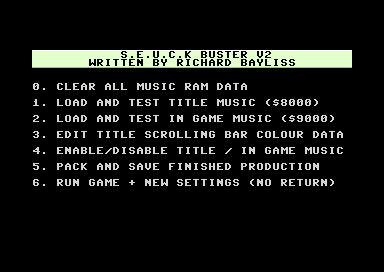
Have you ever written some games using the Shoot Em Up construction kit. Are you bored with the old colour cycling colours. Do you want music on your own SEUCK games? If the answer to those 3 questions are YES, then SEUCK Buster V2.0 is just for you. It allows you to install title and/or in game music on to your very own game creations. It also gets PAL versions of SEUCK games to display most of the score panel on to NTSC machines. Full instructions are provided on the D64, also with some example tunes and also a newer version of CETI 21, to play around with the utility. New users should read the instructions first.
SEUCK Title Screen Maker V1.1 (Sept 2021)
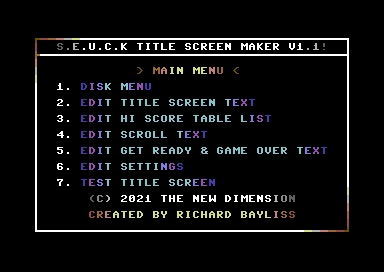
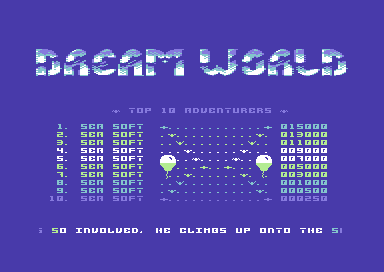
This is a fun SEUCK Enhancing tool which allows you to be even more creative with your SEUCK creations. The SEUCK Title Screen Maker V1.1 does
exactly that. It allows you to load in relocated music (or music made
in Goat Tracker or cheese cutter, set at $8000-$8fff (title),
$9000-$9fff (in game) for title and optional in game music, a Koala
paint logo of (40 CHARS WIDTH x 7 CHARS HEIGHT), a 1x1 charset (with or
without animation). You can edit your own screen, hi score table list,
scroll text, etc, setup your own game settings and also save your
finished masterpiece. You can also load in your own SEUCK game
manually, then link the title screen to your game. This program requires a freezer cartridge (or plug in) such as the Action Replay MK VI, Retro Replay, Super Snapshot, etc ... Some example games with example title screens and also a manual PDF are also included.
It is also confirmed that the SEUCK Title Screen Maker V1.1 also works
on theC64, with the latest firmware upgrade (V1.5.2 or higher).
Note to theC64 / theVIC20 users:
The manual states that you should not use accurate disk, or _AD prefix for putting files together, due to a 0 FILENAME *PRG splat file bug after writing tin the firmware. This feature is actually needed for the software fastload with your freezer cartridge plugin. Simply ensure you have enough space on the disk, and after saving your data, load it again before swapping disks or other media.
SEUCK Title Screen Maker V1.2 (9th April 2022)
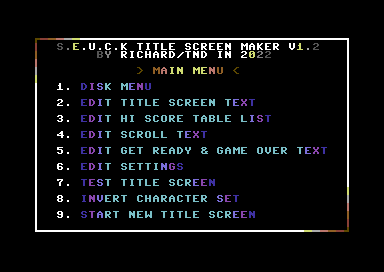
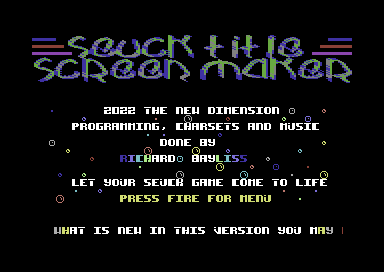
This is not the final version of the SEUCK Title Maker. This utility allows you create and design your very own new front ends, save them out, and link them to your standard or sideways scrolling SEUCK game. No programming required. All you need is graphics data such as a bitmap logo, custom made charset and some music. The rest is up to you to design the front end with its own limitations. The newest features in V1.2 compared to V1.0, and V1.1 are as follows:
+ The settings option questions have been transformed into a proper menu for easier access
+ Title music can now use optional sub tunes for playing GET READY, GAME OVER, HI SCORE name entry music or jingles (You will need to use a multi-track music composer like DMC, Goat Tracker, Cheese Cutter or Future Composer V4.0..
+ Load in and setup multi colour logo (Koala) or hi-res (OCP Art Studio) bitmap logos (Dimensions at top: 7 rows X 40 chars)
+ Load in and setup either hi-res or multicolour charsets with / without animation frames (for shifted keys). It is also possible to use 2x1 characters for your game.
+ Options to enable/disable GET READY and / or GAME OVER screens.
+ Invert charset (just incase your charset you loaded in was already inverted after testing)
+ Start new title screen (Clear all data of the existing title screen except scroll chars colour and hi score title screen flash data)
+ Updated manual provided
+ Bonus game, contributed, complete with example title screen. 1941 - The Secret Conflict by Gib Ranx
NO CODE REQUIRED just make your front end, edit the settings, save it out and then use a freezer cartridge/plugin such as Action Replay to load your game and link your new title screen to it.
This tool is also compatible with theC64, theVic20 in C64 format.
SEUCK Title Screen Maker V1.3 (11th April 2022)
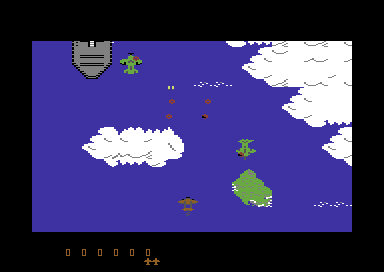
This is not the final version of the SEUCK Title Maker. This utility allows you create and design your very own new front ends, save them out, and link them to your standard or sideways scrolling SEUCK game. No programming required. All you need is graphics data such as a bitmap logo, custom made charset and some music. The rest is up to you to design the front end with its own limitations. Also features an updated user manual and a slightly updated screen editor. If you looking for a more up to date version of the utility, then V1.4 is the latest version.
SEUCK Title Screen Maker V1.4 (16th April 2022)
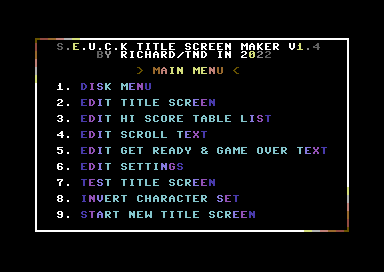
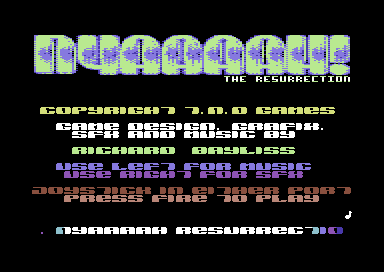
This is the final version of the SEUCK Title Maker V1.4. This utility allows you create and design your very own new front ends, save them out, and link them to your standard or sideways scrolling SEUCK game. No programming required. All you need is graphics data such as a bitmap logo, custom made charset and some music. The rest is up to you to design the front end with its own limitations. The newest features in V1.4, compared to older versions of this tool are as follows:
+ Completely changed the initialisation and front end code in order to prevent the inverting of the score panel every time a new game starts. Before you install the front end, make sure you start your standalone game (or game in editor) in play mode, press the RESET button on Action Replay/Retro Replay and then load in the front end. Next either load the AR Capture tool to run and FREEZE the game, or use a Machine Code Monitor to save all data from $0900-$FFFA and crunch with $6580 run address in Exomizer.
+ Completely fixed the logo displayer bug, although in picture preview mode, a single byte is incorrect. In the title screen test mode and the finished piece, there are no issues with the logo. In versions 1.3 and below, there was a segment of data missing in the logo, due to an incorrect blackout char address. This has been 100% fixed in version 1.4.
+ All sfx sound channels work
+ Fixed a SFX only bug.
+ Updated user manual, including tips on how to obtain the data from older title screens and import those into the newer title screen maker, without crashing it.
+ All example games from V1.0, V1.1, V1.2, V1.3 have been updated to work on V1.4 and are included in this pack.
NO CODE REQUIRED just make your front end, edit the settings, save it out and then use a freezer cartridge/plug in such as Action Replay to load your game and link your new title screen to it.
This tool is also compatible with theC64, theVic20 in C64 format.
You will be pleased to hear that a lot of work and effort has been put into V1.4 of the SEUCK Title Screen Maker. It fixes so many major bugs, and gets everything working great. There are some things not mentioned in the manual which take place. For instance if you clear the screen with SHIFT+CLR home, it will NOT fill the screen with zero bytes. If you need to do this, use a machine code monitor in VICE or your action replay to fill memory using: "f 0400 0798 00". This fills the screen with the invisible @ character. @ marks scroll to loop. If you want no scroll in your game add 1 or 2 spaces at the top left corner of the screen then store @ (or press F1 to set the marker and return to the menu).
Secondly in test mode: SPACEBAR or fire via joystick port 1 will skip GAME OVER on GET READY screen in the editor. Fire will preview the GAME OVER screen.
SEUCK Title Screen Maker V1.5+ (Final edition) (6th July 2022) (Replaces V1.5)
This utility allows you create and design your very own new front ends, save them out, and link them to your standard or Jon Wells' adaptation of the Sideways Scrolling SEUCK. No programming required. All you need is graphics data such as a bitmap logo, custom made charset and some music. The rest is up to you to design the front end with its own limitations. The newest features in V1.5, compared to older versions of this tool are as follows:
+ Added a new music option where any music player can be used (as long as it does not exceed 4KB, and is relocated to $8000 (title music), $9000 (in game music). Some music players have their own custom players.A manual initialise and play parameters option has been added as a 4th option in the player selector.
+ Updated the scroll text editor, where pressing SHIFT+CLEAR HOME will zero-fill the scroll text memory with invisible @ symbols
+ Updated the title screen editor option in which will only clear the inside window for the credits on SHIFT + CLEAR HOME
+ Fixed sound initialize bug
Title screens made in V1.1 - V1.4 cannot be loaded into V1.5, due to growth in the title screen code, but it is possible to use your Action Replay cartridge to extract your old Title Screen data and implement it into the new title screen. A user manual explains how to do this.
NO CODE REQUIRED just make your front end, edit the settings, save it out and then use a freezer cartridge/plug in such as Action Replay to load your game and link your new title screen to it. How you want to make a runnable executable of the program is up to you, there is a manual to help.
This tool is also compatible with the Ultimate 64, 1541Ultimate, theC64, theVic20 in C64 mode.
SEUCK Title Screen Maker V1.6 (31st December 2023)
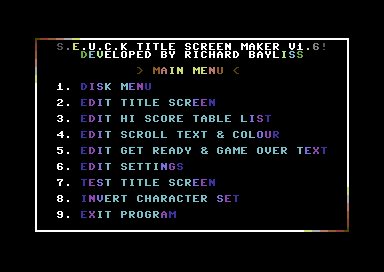
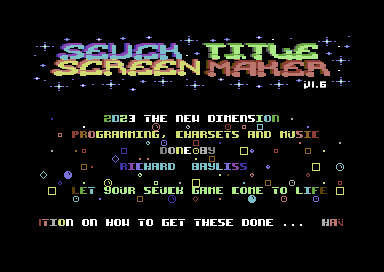
This utility allows you create and design your very own new front ends, save them out, and link them to your standard or Jon Wells' adaptation of the Sideways Scrolling SEUCK. All you need is graphics data such as a bitmap logo, custom made charset and some music. The rest is up to you to design the front end with its own limitations. The newest features in V1.6, compared to older versions of this tool are as follows:
+ Added ability to load raw binary charsets exported from PC applications like Charpad and Ultrafont PC
+ Added ability to load and use double height fonts (1x2)
+ Updated the hi score table, narrowing down the width
+ Improved hi score table flashing (When the page flips now, the hi score text will not start at the same colour of the screen)
+ Added an in game side border colour option
+ Removed start new title screen, due to a bug being produced causing the production to crash. Instead added exit program
+ Added 3 link areas for both initialising and playing in the game so that 3 different enhancements can be linked to the game
+ Added Turbo Assembler code snippets for enhancements. (In order to try and use these, or make some of your own, please refer to the manual)
+ Example game set up for SEUCK Title Screen Maker V1.6 enhancements; Stormbird by Eleanor Burns.
Also included with this production are some Public Domain utilities which can be pretty useful for supporting SEUCK Title Screen Maker V1.6.
This tool is also compatible with the Ultimate 64,1541Ultimate, theC64, theVic20 in C64 mode.
SEUCK Title Screen Maker V1.7+ With TS Patcher (19th May 2024)
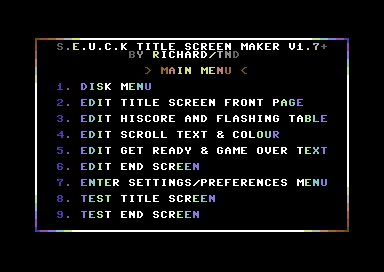
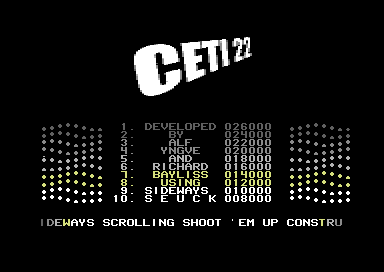
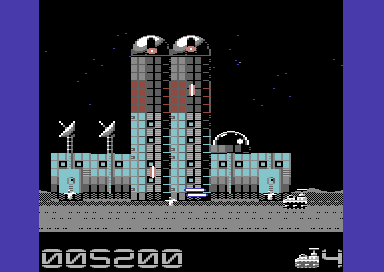
This is the latest version of the SEUCK Title Screen Maker and also pehaps one of the best versions of this utility of all time.This tool allows you to create enhanced front ends for games that are created using the Shoot Em Up Construction Kit or Jon Wells' Left-Right sideways scrolling adaptation of it. The SEUCK Title Screen Maker, consists of a range of options that allows you to setup and create colourful front ends. This includes designing your own front which contains an (40 char width x 8 char height) logo in Koala Paint multi colour or Koala Paint Hires format and add a custom font of 1x1, 1x2 or 2x1. Also it is possible to add in game enhancements with three spare subroutines, which you can link your enhancements. Side 2 of the disk contains all of the enhancements and Turbo Assembler). Also Stormbird by Eleanor Burns. Here's are the latest updates for V1.7.
Use of a freezer cartridge (Action Replay/Retro Replay) / or use of the VICE M/C Monitor required for linking your title screen to your game. (Please read pages 17 - 21 in the PDF manual for three possible methods in linking the title screen).
SEUCK Title Screen Maker V1.8+
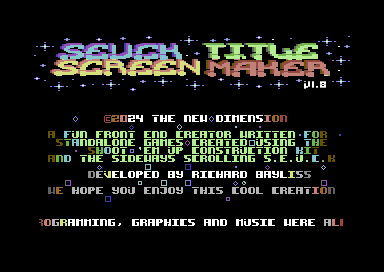
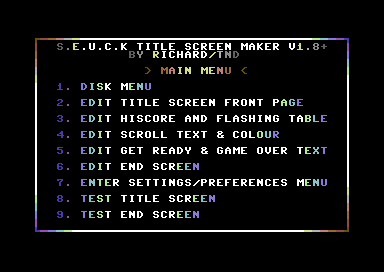
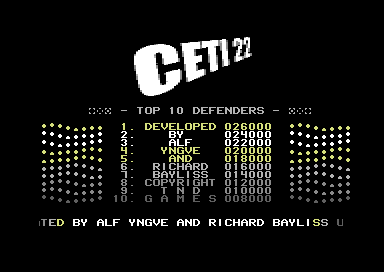
This is the latest version of the SEUCK Title Screen Maker has no new features. It just fixes a major crashing bug which happened on the end screen when pressing fire to exit the end screen to the hi score checker routine / title screen on vertical scrolling SEUCK games. Also fixed is the char bug where pausing/aborting the game and also allows multi-colour chars to be displayed on the end screen. The example game CETI 22 has been included with the SEUCK Title Screen Maker V1.8, but this time round it uses a title screen made from this version of the utility. As usual on side 2 are some assembly code snippets with Turbo Assembler, should you wish to add cool in game enhancements to your own game productions.
Update: October 2024 - The end screen crash still existed in V1.8, so I have updated the download to V1.8+ which has fixed the bug and allows the title screen to check for a new hi score or restart the front end after pressing fire to exit the end screen.
SEUCK Title Screen Maker V2.0 (December 25th 2025)
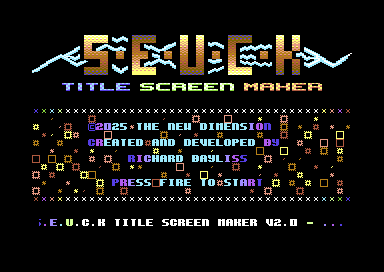
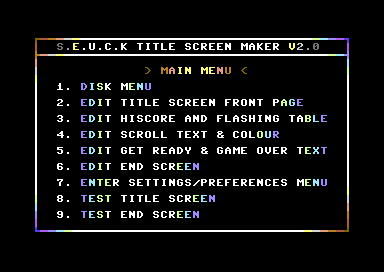
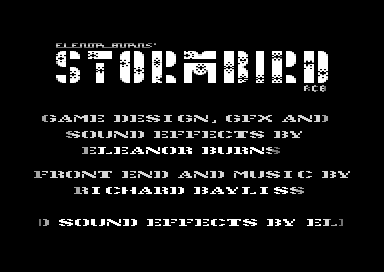
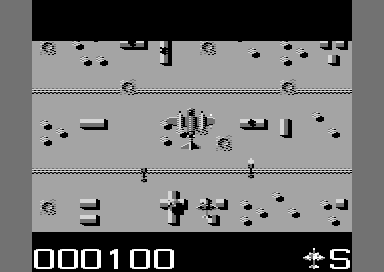
This is perhaps the best version of the SEUCK Title Screen Maker so far. As usual it allows you to load in your charset graphics, bitmap logo and music assets and set these up. There is a built in screen editor for editing text and hi score table, etc. V2.0 also contains some cool new features which include the following:
- BUGFIX: Fixes the abort game crashing bug. (Games using these new title screens from V2.0 can now jump back to the main front end)
- UPDATE: Title screen background and game side border colour options moved to a separate option in the preferences menu
- UPDATE: Delay rate of the text flashing and character set animation can be altered
- NEW: Built in option: Smart Bomb / Explode all enemies. When enabled, this enhancement will destroy all the enemies on screen if an enemy of a set score is killed.
- NEW: Player spawn option - If enabled, the player can spawn back onto exactly the same spot it died from. This is very useful for push scrolling games, where the players are likely to get stuck on top of a stoppable/deadly background character, which prevents it from moving further into the game.
- NEW: Loop enemy movement - If enabled this repeats the very first enemy movement after the enemy movement has finished.
- NEW: Rotational firing - If enabled, this replaces all random firing enemies behaviour to rotate its firing clockwise instead
- NEW: SEUCK Title Screen Maker Linker: Accessible from the disk menu. Saves a master loader to a formatted disk, loads in the finished SEUCK game (saved from SEUCK's storage menu "Save as finished game"). Then it will load in the main front end and save everything to the master disk you created. You can then reboot the C64, type in LOAD "*",8 and RUN. Otherwise, you could use a linker like Sledgehammer II (by Trap/Bonzai) or similar to link your project files (as indicated in on the Title Screen Linker screen) and save into a single runnable compressed file, then use a slow or fast C64 cruncher after that to squeeze the program to size.
Bonus content:
- CETI 22 + assets
- Stormbird + assets
- Turbo Assembler enhancement code snippets (From SEUCK Title Screen Maker V1.8+)
- Updated PDF manuals
SEUCK Buster V1.1 (2006)
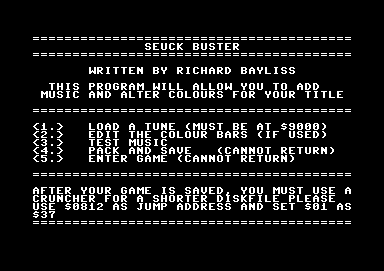
An improved version (Well, sort of) but this time I added an old packer to the utility, so that any time a SEUCK user has finished setting up the music and colour bars, they can enter the public domain packer F4CG SCR packer, by pressing 4. It was probably the best sort of packer I could find for this utility. Maybe I should do a version some time that will allow the user to add in game music as well as title music. Now that would be handy :o)
SEUCK With Gravity (2015)
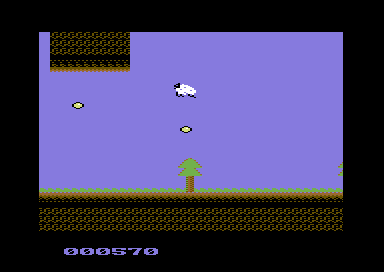
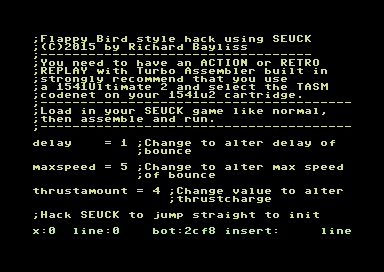
This source allows you to generate your own games which features some form of gravity to the player in your SEUCK game. Now it is possible to sort of make Flappy Bird type of games, or whatever you want to build using the source code. Before you can do this, make sure you have the FINAL REPLAY with TASM/CODENET set on your 1541Ultimate or VICE, CCS64 or whatever. Since the code is all Sequential Turbo Assembler. We have also enclosed an example game to go with it, called "Silly Sheep". Which does of course require improving. So please feel free to improve the example game. It should also be possible to make platform games by editing this source, simply by adjusting the value of the delay and the thrust amount. Also by setting joystick UP as the jump control instead of fire (Simple example):
control lda $dc00
lsr
bit button
ror button
bmi nocontrol2
bvc nocontrol2
jsr thrust
nocontrol2
rts
It will be up to you to edit the code in order to allow the player to jump accurately.
Sexy Formatter (1999)
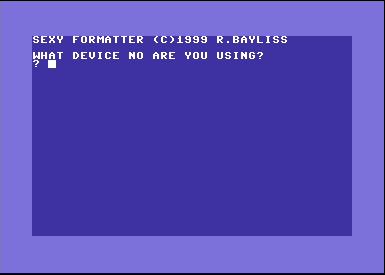
Nothing really sexy about this tool. It was programmed in BASIC in 1999 and is a slow disk formatter as well.
Smart Logo Maker V1.0 (2007)
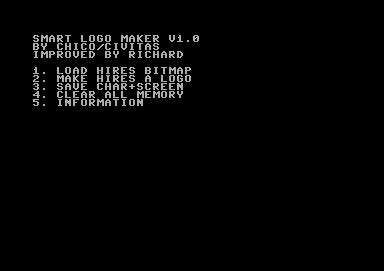
This is an improved version of Chico/Civita's hires bitmap to logo converter. This was originally turbo assembly source, but I could not resist to make a proper utility out of this one. Chico didn't mind this happening either as I did ask first.
Sprite Combination Tester (2010)
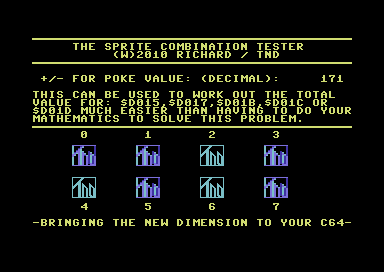
This is a little program that will test different values for the sprite properties, related to sprites on/off, multicolour, expansion and sprite behind background and displays the decimal POKE value which you can use to switch on/off sprite properties when you are programming games, etc.
Tape Master Pro V1.0 (2010)
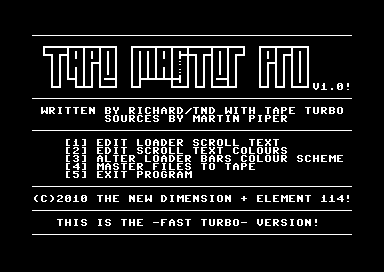
Have you written games and wanted to add the classic loading appearence to you game on tape?. Well this is the perfect tool for those of you who wish to make tape masters of your own games and load your games on tape with an autoboot turbo loader with music and loading picture. This utility comes with full documentation and some example files for you to play around with. (Sharkz II). The best part of this tool is the choice of the border stripes which you could choose from. From the classic Cyberload colours to a multicolour stripey border. The tape master utility itself has a wide range of options. Auto boot turbo loader/saver source was written by Martin Piper.
Tape Master Pro 2 (2012)
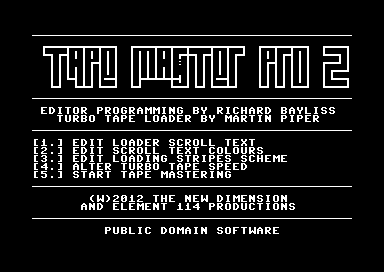
This is the new Tape Master Pro. This tape mastering utility uses a more intelligent IRQ loader system, which Martin Piper programmed. The loader system will indicate a load error, by showing a red border (with nothing else going on). This tape mastering utility allows you to write a loader scroll text, edit the colour of the scroll text. You can choose one of many of the loading stripes scheme (Boot loader will always use the multicolour. I got that boot idea based on Visi-Load :o). New in TMP 2 is a selection of tape loading speeds and the rest of the mastering is up to you. TMP 2 also comes with some example masters for some games from the TND web site. Enjoy reliving the tape loading saga (And hopefully you won't be throwing your datasette at the wall if you get a load error :o))
Tape Master Pro V2.1 (2012)
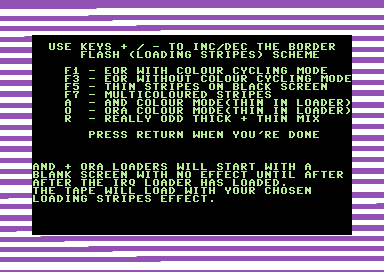
An improved version of Tape Master Pro, related to Tape Master Pro 2. General improvements are:
- Text editor - Speed of scroll can be chosen, to suit the loading program
- Loading stripes scheme - Scheme will also work on the boot loader system before the IRQ turbo tape system
- Boot loader - Plain black screen, with correct sized boot loader. V2.0 had experienced bugs in the boot loader
- Extra option - You can now enter the tape master after saving your program (If you choose to).
Tape Master Pro V3.0 (2016)
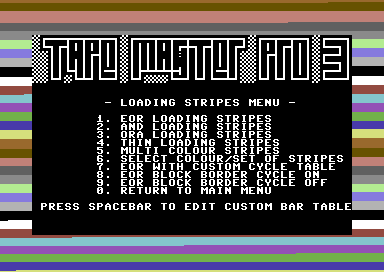
The third edition of the Tape Master Pro tape mastering system. This is the latest version of the tape mastering software. This tool consists of these features:
- Text options: Type your very own scroll text, set its speed, and also setup the loader's appearance after boot loader has finished.
- Loading stripes scheme - A huge choice of border flashes to choose from, when your tape is loading data, from the classic multicoloured scheme to a professional thin stripes scheme. Also includes border cycle editor for the EOR border cycle.
- Loading sprite - Enable/disable the flashing tape sprite, edit its colours, and also enable/disable the press spacebar feature (after your main program has finished loading from tape)
- Turbo speed - Select one of the 5 fast turbo tape speed
- Easier tape mastering: Master your very own prorgams with a BASIC RUN, up to 161 blocks single file to tape with a scroll text, a loading picture and music.
- Full documentation provided on .D64 and .txt format.
Tape Turbo by Martin Piper
Tape Master Pro V4.0 (2019)
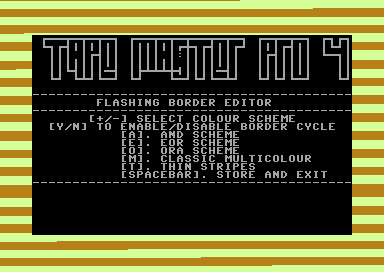
The tape mastering software has a brand new version of this cool utility, which you can use to make your own physical tape copies of your own productions. This tool allows you to custom the appearance of the tape loader, and display a scroll text with loading music playing in the background. For performance reasons, this version of the tape loader system has no loading speed option set. Features in V4.0 are as follows:
- High speed IRQ turbo tape loader system with error recognition (On red border, stop tape rewind slightly)
- Fully customizable scroll text + loading text + flashing bar editor
- Loading sprite options (You can now load in your flashing sprites)
- Flashing border scheme options (AND/ORA looks different in border scheme editor, but looks better in main loader)
- Compatibility with single filed programs with BASIC load/run addresses.
- Plays common music players (Init $1000, $1003), Music Assembler or Future Composer Tunes
- Optional Open Borders scheme
- Tape master Uses NesquickV3D Packer by Nemesiz/Impact and Fast saver by Explorer/Agony
Tape Turbo by Martin Piper + Additional and editor code by Richard Bayliss
Tape Master Pro V5.0 (2024)
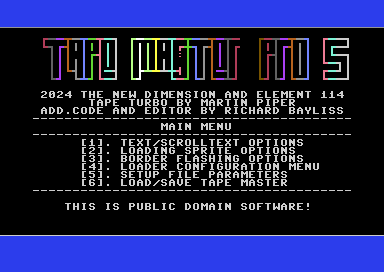
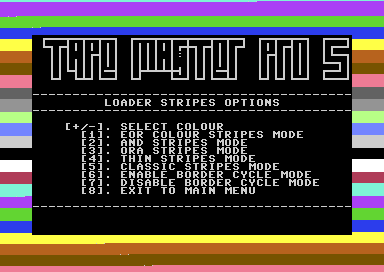
This is the newest version of Tape Master Pro. This time it is V5.0, and hopes to be one of the best versions of the tape mastering tool. You can master your own games that run from BASIC of up to 182 blocks on to a tape, complete with a flashing border, loading music and a loading bitmap. The tape mastering tool requires no coding to make cool tape masters. Everything is done by selecting options, which helps out configure the tape loader system to suit your productions. Tape Master Pro V5.0 consist of the following features:
- High speed IRQ turbo tape loader system with error recognition (On red border, stop tape rewind slightly)
- Fully customizable scroll text + loading text + flashing bar editor
- Loading sprite options, including new sprite position editor, colour flash table editor and integrated options
- Plenty of loading stripes options and colour schemes to choose from
- Optional fade out of music
- Support for hiresolution or multi colour bitmaps (Hires are OCP Art Studio and Multicolour are Koala Paint)
- Optional draw out loading bitmap while loading
- Compatibility with single filed programs with BASIC load/run addresses.
- Plays relocated music ($E000-$EFFF)
- Optional Open Borders scheme
- Saves out a runnable tape master
- Documentation inside D64
Tape Turbo by Martin Piper + Additional and editor code by Richard Bayliss
Click disk icon to download Tape Master Pro V5.0
Tape Master Pro V5.1 (24 April 2025)
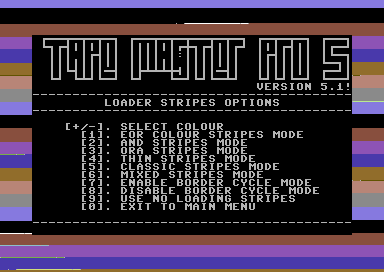
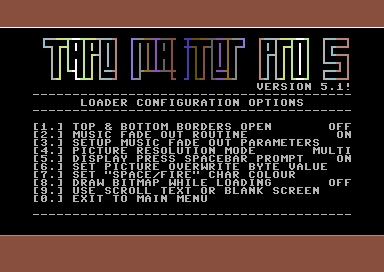
This is latest version of the Tape Master Pro V5. Version 5.1 only has a few improvements which have been higlighted in yellow.
- High speed IRQ turbo tape loader system with load error recognition (On red border, stop tape rewind slightly)
- Fully customizable scroll text + loading text + flashing bar editor
- Loading sprite options, including new sprite position editor, colour flash table editor and integrated options
- Plenty of loading stripes options and colour schemes to choose from
- Optional fade out of music
- Support for hiresolution or multi colour bitmaps (Hires are OCP Art Studio and Multicolour are Koala Paint)
- Optional draw out loading bitmap while loading
- Compatibility with single filed programs with BASIC load/run addresses.
- Plays relocated music ($E000-$EFFF)
- Optional Open Borders scheme
- Saves out a runnable tape master
- Updated tape loader appearance (Startup turbo turns off screen and file overlapping bitmap does the same also).
- Added two new "border flash options": Brought back the mixed loading stripes border scheme (pictured to the left), and also added an option to have no loading stripes.
- Added an option in the "configuration options" screen to either select "use scroll text", to display the loading text and scrolling message, or use "blank screen", instead of scrolling message. Remember to set this option if you don't want scroll text + screen text before saving tape master to disk.
- Helpful documentation in TXT format.
Tape Turbo by Martin Piper + Additional and editor code by Richard Bayliss
Click disk icon to download Tape Master Pro V5.0
TextER (2001)
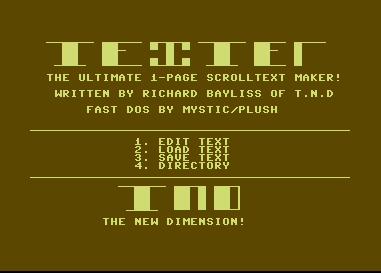
A little and rather naff text editor I wrote in 2001.
Thunderload Multi-Loading Companion V1.0 (2017)
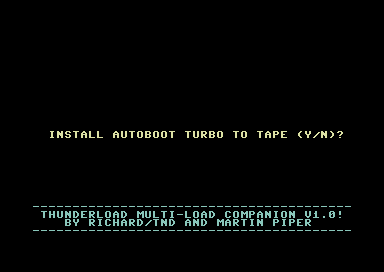
Somebody contacted me suggesting a program in which to make multi-load tape loading system for games that used Tape Master Pro, or any other software. I came up with this small solution. Behold - Thunderload Multi-Loading Companion V1.0. A tape mastering system for either a single file (with autoboot), just to load and run a game for your own C64 mixtapes, or similar. Or a programmer's tool for linking a multi-load tape system, with further programming required to implement the multi-loader system properly. Please note, this program doesn't use file chains. You need to manually type in the files accurately for a 100% turbo tape master. Full instructions are included in the .D64. Tape Turbo source by Martin Piper.
Totally Tape #1
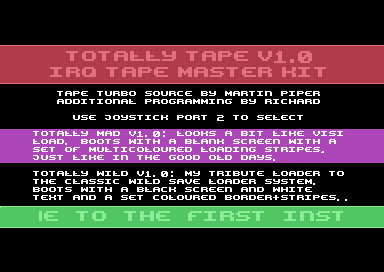
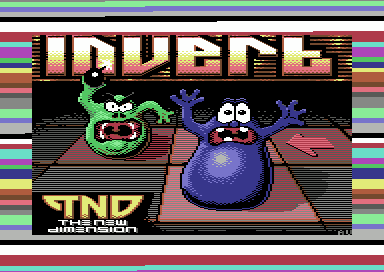
This is a mini tool collection and a first in the series of tributes to classic C64 tape loaders. The only difference - You get to master your tapes with it. Totally Tape #1 features Totally Mad V1.0 (pictured above), a tribute to the Visi Load loader and also Totally Wild, which is a tribute to the classic Wild Save loader. Both tribute tape loaders are NOT the actual tape loaders since they were made in TapeToolBuild, but the appearence of the tape turbo was made look similar to the originally tape loaders as a tribute. If you use Totally Mad or Totally Wild, please credit Martin for the original loader source, and me for the additional code in either your game, web site or physical tape.
Totally Tape #2
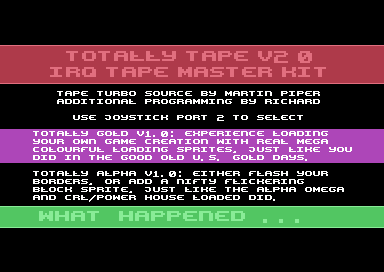
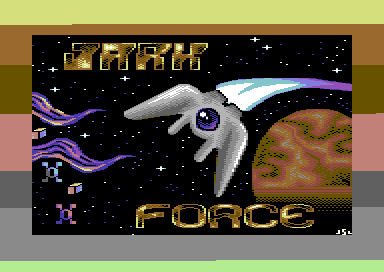
This is the second Total Tape double pack, where I re-create memories of classic tape loaders. This new installment re-creates the classic US Gold style loader (Totally Gold - as pictured above). Also there is the re-creation of the CRL loader (Totally Alpha). With Totally Alpha you can choose whether you would like to use a flashing border or a solid sprite. As usual you can display a loading picture and also play a GoatTracker, DMC or whatever music that can init $1000 and play $1003. Try to keep to the $fe-$ff zeropage as some players zero pages will truncate the tape loader (As it uses specific zeropages).
Ultrafont Intro Designer Studio (2003)
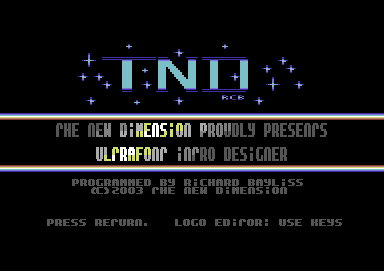
A small intro maker, which was originally given a prize for the 2003 JokeTRO compo I launched. Not a bad result either, for creating your own intros to link to your own programs. The main editing is very basic though, but overall this utility is pretty much handy.
Vidcom Crazy V2.0 (2001)
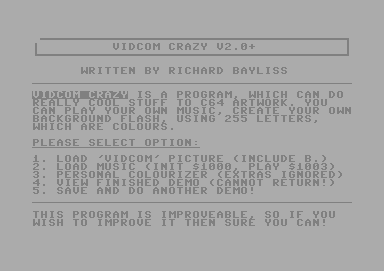
A utility I wrote that allows you to display pictures painted in Vidcom paint and add fade effects to the background with music playing..
Vidcom Crazy V3.0 (2001)
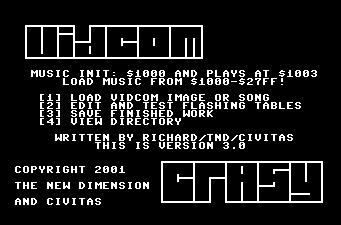
A little utility that allows you to display your own vidcom pictures and use cool colour fading routines. Pretty old, but a better version was made in for Commodore Scene 2002, which allowed you create you own scroll text as well as display your pictures with background colour fading.
Vidcom Crazy V4.0 (2002)
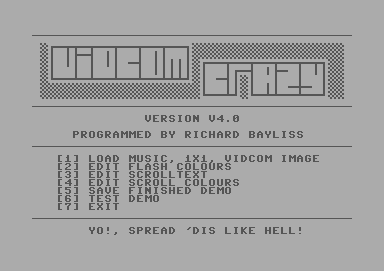
A final version of the Vidcom Crazy V4.0. As well as editing flash colours and display Vidcom Painter pictures, you're able to add your own scrolling message at the bottom of the screen. Something more fun compared to the version 3.0.
Vidcom Picture Stripper V1.0
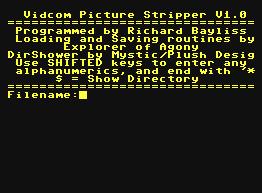
A utility that will split Vidcom Paint files into 3 separate files (Bitmap, colour ram and video ram).
If you program games, and stuff like that (or just want have a little toy to play around with). Then Alien Formation Maker V1.0 is just the too for you. This program allows you to record your own sprite movement, and generates a 256 byte table for X position, and a table for Y position of the sprites. This tool features a record and playback of the alien formation and allows you to load/save your own sprite formations. F1, F3, F5 and F7 (in record mode) will allow you to set the speed of the sprite movement. If you wish to mix the speed be careful to not stop the joystick, and let it go when pressing the FUNCTION keys. The stoppage is also recorded :)
Alien Formation Maker V1.0+ (2016)
This is an improved version of the same program above. A couple of bugs have been fixed. So this version is most recommended to be used instead. The bugs fixed are as follows:
- Directory option clears screen before displaying the directory (After viewing the dir. Press SPACEBAR to exit it :)
- Recording of formation didn't write to memory correctly, which made sprite movement out of place, when I tried to playback the data using a standalone program. The tables were not initialized properly. Due to a hi-byte pointer writing the the lowbyte target instead.
Anywhere Muzax Master V1.0 (1999)
In my beginner years of programming/hacking on the Commodore 64, I created various useless crap and this is unfortunately one of those which people probably could have done without. It is a simple BASIC program that allows you to play ripped music by loading it in and setting up the music INIT and PLAY addresses. Ah well, that's 1999 for you :o)
Blaze Noter V1.0 (2004?)
This is a small 1 page noter, that allows you to make 1 page messages. The noter uses BASIC input inside machine language. The program was not programmed in BASIC, so don't try listing it :o)
Bubble Noter V1.1 (2001)
Still in my beginner years programming, I wrote another note writer in 2001 called Bubble Noter V1.1. This was a pretty fun 1 page note writer which also contains bubbles. Unfortunately very restrictive to use, but it sure was fun to make.
Bubble Noter V1.2 (2001)
A second version of this small note maker, but still with restrictions. Some flashing was added and also an option to set up the colour of the screen too.
Colour Fantastic (2001)
SEUCK users would have been in for a treat with this utility, but with restrictions. This utility allows you to create new front ends and link those to your own SEUCK games. It comes with instructions, but as it was 2001, it was still a learning curve for me to program useful sources.
Digi Organizer + $1000, $1003 Music Player V1.0 (2005)
Ever wanted to mix Digi Organizer modules and example tunes together? Well, this program certainly did the trick. You are able to design your own screen mask, load in music in Voicetracker or Goat Tracker format, and also Digi Organizer modules. Handy for some, but not for everyone.
DRAZ Paint Viewer (2001)
A little utility I wrote for displaying pictures that have been drawn in Draz Paint by Noice.
Extreme Demo Maker V1.0 (2004)
A fun little demo maker, that doesn't do much, except for display pictures painted in Koalapaint and also swirling sprites, and play music in the background. There is also a little scroll text writing option for you to write your own scrolling message, greetings, etc and also load in your own music. This is also another utility that got released on the Commodore Scene cover disk.
EZ Linker 1.0 (2002)
A rather useless linker. Loads multiple files, then saves it all as one huge file. .
Handy Pack V1.0 (1999)
A mini compilation of Disk BASIC programs with various pointless utilities. This also got released on the Commodore Scene cover disk as well. Why the heck did I submit this or create it in the first place?
Menu Destroyer is a simple program that will remove/scratch any unprotected programs which is named menu, so that you can add a new menu on to your disk. Very pointless and stupid. But hey, I was a student in those times :o)
Easy-Peasy Formatter. Well, you can format your disk at a BASIC speed, (slow). Still yet again pointless.
C64 Toilet V1.0 allows you remove unprotected files that you no longer want on disk. It basically scratches the file from your disk. (Where does the toilet come in to it? Well, if you press '3' you'll see. :o)
Masterloader. Is it a tape mastering program? NO, it's yet another thick, stupid and pointless tool, which you enter a filename on disk and load and run it. BAH!
All in all, this is a crap compilation I did in those days. Haha!
Jammy Packer (2003)
A joke compactor, written for the Useless Tool Compo at Vision 2003 party.
Kernal Basic Linker V1.0
Are you experiencing trouble mastering your own C64 creations to tape using Tape Master Pro, Multi-Load master kit, or Loader Game Tape Master Kits, or any other kind of tape loader? This program links a patch before the decruncher of your main program so that you can master your games to tape more safely. Before you use this program, the TND intro reads spacebar, and moves the cursor forward one position. Press DELETE to move the cursor back to the correct position.
Koalapaint 2 Frame Picture Animator V1.0 (2010)
So then, have you ever wanted to create 2 frame picture animation demos and play music? Well, this is probably the tool for you. An improved version might be made later on this year, for example music INIT + PLAY options and probably also a scroll text option. The main reason for why I created this tool is detailed in the note file supplied inside the .D64. The program also contains a public domain utility by Morris/Agony called "Dark Packer V3.1", which to my general opinion is a very useful and pretty cool fast packer for squeezing the file size down after saved as a final animation demo.
Koalapaint Picture + Music Linker V1.0
Back in the mid-late 1980's there were various good KoalaPaint picture linkers by the Beastie Boys, and CFB, but none of those tools allowed you to load in your own custom music player based at $1000-$1fff. So I decided to created one of my own. This tool is very simple to use, it allows you to link a game with a BASIC SYS call, to a picture displayer and play music in the background. The linker also has a nice little transition, while drawing the picture. If you decide to use the picture linker in your game productions. Use $0810 as jump address when packing/crunching everything together..
Loader Game Tape Master Kit
This is a tape mastering tool, which allows you to write your own programs which use a BASIC SYS call (IE SYS2061, etc) to tape with a high speed tape loader and one of my two loader games. Moo-Tilation or Happy Blocks (pictured above). The options can be selected via Joystick in port 2 or emulated joystick. Then it is up to you to master your own games to tape automatically. Make sure filesize is not BIGGER than 135 blocks, else the mastering will fail. The tape loader will not work on BASIC programs or some programs - unless you program routines that will initialise the whole machine. Also tested to be 1541U2 compatible :)
Want to get started:
Before using my tape master tools, maybe you may want to work out how to get the BASIC SYS call as hexadecimal. Using a M/C monitor in the Action/Retro Replay Cartridge (Or Tasm/Codenet) type in the following command:
N 2061
Result will show in the console output:
$080D
So, if you need to find your BASIC SYS start address. Type LIST. Then use the N command in the M/C monitor.
Loader Game Tape Master Kit 2
This is a second installment of the tape mastering tool, which allows you to write your own programs which use a BASIC SYS call (IE SYS2061, etc) to tape with a high speed tape loader and another two new loader games. Square Pit (pictured above) and the unused new loader game Blitz-A-Load (Which might be used some time in the near future). Select one of the two loader games you wish to use and get it all mastered to tape :) Loader system also uses load error detection and may support files larger than 138 blocks.
Loader Game Tape Master Kit 3
The third installment of the loader game tape master kit. This time you can master your own games to tape with Break Free, a crazy breakout game by Joonas Lindberg (Program size to master to tape Max 190 blocks). Or (pictured above) Zap 'n Load by Richard Bayliss (Program size to master to tape Max 125 blocks). NEW feature includes a loading stripes selector. (Select the EOR code for the black+whatever colour thick loading stripes) or select thin or classic multicolour loading stripes to suit your needs. Huge thank you goes to Joonas for kind permission for me to use Break Free.
Menu Maker (2001)
My very own attempt at making a disk menu program. Not bad for my first attempt, but it is pretty tricky to use. You have to manually input the name of the files and then afterwards rename all of your files on disk to A. to X. Nice to have music on this though.
Mini Notemaker V1.0 (2002)
Those 1-page noters still roll on. Yes, it is another nice noter, but yet again with restrictions. You have to load your music and charset from BASIC. Not that bad noter, but editing wise, not all that good either. I still can use it now and then, so there's not much of a problem with that..
MSCK Charset Converter (2001)
A small utility which I made that converts a normal charset into a charset for use with Multi Screen Construction Kit by J.Wells.
Noisy Notemaker (2003)
When will those 1 page note makers stop? Well, here's another simple one which I wrote for the 2003 programming compo. It never won, but it was something quick and probably is handy for very small 1 page notes. After the note displays, the characters use a different sound. Yet again not really that interesting.
Page Linker (2006)
A 1 page note linker, which can be used to write your own messages and then link them to your games.
SEUCK Buster V1.0 (2006)
A little utility that I created for Crypt. Unfortunately there's a major bug in this version as saving data is incorrect and screws up the graphics data of SEUCK games. Music plays okay, so you best save your SEUCK games with music using Action Replay cartridge.
SEUCK Buster V2.0 (2018)
Have you ever written some games using the Shoot Em Up construction kit. Are you bored with the old colour cycling colours. Do you want music on your own SEUCK games? If the answer to those 3 questions are YES, then SEUCK Buster V2.0 is just for you. It allows you to install title and/or in game music on to your very own game creations. It also gets PAL versions of SEUCK games to display most of the score panel on to NTSC machines. Full instructions are provided on the D64, also with some example tunes and also a newer version of CETI 21, to play around with the utility. New users should read the instructions first.
SEUCK Title Screen Maker V1.1 (Sept 2021)
This is a fun SEUCK Enhancing tool which allows you to be even more creative with your SEUCK creations. The SEUCK Title Screen Make
r V1.1 does
exactly that. It allows you to load in relocated music (or music made
in Goat Tracker or cheese cutter, set at $8000-$8fff (title),
$9000-$9fff (in game) for title and optional in game music, a Koala
paint logo of (40 CHARS WIDTH x 7 CHARS HEIGHT), a 1x1 charset (with or
without animation). You can edit your own screen, hi score table list,
scroll text, etc, setup your own game settings and also save your
finished masterpiece. You can also load in your own SEUCK game
manually, then link the title screen to your game. This program requires a freezer cartridge (or plug in) such as the Action Replay MK VI, Retro Replay, Super Snapshot, etc ... Some example games with example title screens and also a manual PDF are also included.
It is also confirmed that the SEUCK Title Screen Maker V1.1 also works
on theC64, with the latest firmware upgrade (V1.5.2 or higher). Note to theC64 / theVIC20 users:
The manual states that you should not use accurate disk, or _AD prefix for putting files together, due to a 0 FILENAME *PRG splat file bug after writing tin the firmware. This feature is actually needed for the software fastload with your freezer cartridge plugin. Simply ensure you have enough space on the disk, and after saving your data, load it again before swapping disks or other media.
SEUCK Title Screen Maker V1.2 (9th April 2022)
This is not the final version of the SEUCK Title Maker. This utility allows you create and design your very own new front ends, save them out, and link them to your standard or sideways scrolling SEUCK game. No programming required. All you need is graphics data such as a bitmap logo, custom made charset and some music. The rest is up to you to design the front end with its own limitations. The newest features in V1.2 compared to V1.0, and V1.1 are as follows:
+ The settings option questions have been transformed into a proper menu for easier access
+ Title music can now use optional sub tunes for playing GET READY, GAME OVER, HI SCORE name entry music or jingles (You will need to use a multi-track music composer like DMC, Goat Tracker, Cheese Cutter or Future Composer V4.0..
+ Load in and setup multi colour logo (Koala) or hi-res (OCP Art Studio) bitmap logos (Dimensions at top: 7 rows X 40 chars)
+ Load in and setup either hi-res or multicolour charsets with / without animation frames (for shifted keys). It is also possible to use 2x1 characters for your game.
+ Options to enable/disable GET READY and / or GAME OVER screens.
+ Invert charset (just incase your charset you loaded in was already inverted after testing)
+ Start new title screen (Clear all data of the existing title screen except scroll chars colour and hi score title screen flash data)
+ Updated manual provided
+ Bonus game, contributed, complete with example title screen. 1941 - The Secret Conflict by Gib Ranx
NO CODE REQUIRED just make your front end, edit the settings, save it out and then use a freezer cartridge/plugin such as Action Replay to load your game and link your new title screen to it.
This tool is also compatible with theC64, theVic20 in C64 format.
SEUCK Title Screen Maker V1.3 (11th April 2022)
This is not the final version of the SEUCK Title Maker. This utility allows you create and design your very own new front ends, save them out, and link them to your standard or sideways scrolling SEUCK game. No programming required. All you need is graphics data such as a bitmap logo, custom made charset and some music. The rest is up to you to design the front end with its own limitations. Also features an updated user manual and a slightly updated screen editor. If you looking for a more up to date version of the utility, then V1.4 is the latest version.
SEUCK Title Screen Maker V1.4 (16th April 2022)
This is the final version of the SEUCK Title Maker V1.4. This utility allows you create and design your very own new front ends, save them out, and link them to your standard or sideways scrolling SEUCK game. No programming required. All you need is graphics data such as a bitmap logo, custom made charset and some music. The rest is up to you to design the front end with its own limitations. The newest features in V1.4, compared to older versions of this tool are as follows:
+ Completely changed the initialisation and front end code in order to prevent the inverting of the score panel every time a new game starts. Before you install the front end, make sure you start your standalone game (or game in editor) in play mode, press the RESET button on Action Replay/Retro Replay and then load in the front end. Next either load the AR Capture tool to run and FREEZE the game, or use a Machine Code Monitor to save all data from $0900-$FFFA and crunch with $6580 run address in Exomizer.
+ Completely fixed the logo displayer bug, although in picture preview mode, a single byte is incorrect. In the title screen test mode and the finished piece, there are no issues with the logo. In versions 1.3 and below, there was a segment of data missing in the logo, due to an incorrect blackout char address. This has been 100% fixed in version 1.4.
+ All sfx sound channels work
+ Fixed a SFX only bug.
+ Updated user manual, including tips on how to obtain the data from older title screens and import those into the newer title screen maker, without crashing it.
+ All example games from V1.0, V1.1, V1.2, V1.3 have been updated to work on V1.4 and are included in this pack.
NO CODE REQUIRED just make your front end, edit the settings, save it out and then use a freezer cartridge/plug in such as Action Replay to load your game and link your new title screen to it.
This tool is also compatible with theC64, theVic20 in C64 format.
You will be pleased to hear that a lot of work and effort has been put into V1.4 of the SEUCK Title Screen Maker. It fixes so many major bugs, and gets everything working great. There are some things not mentioned in the manual which take place. For instance if you clear the screen with SHIFT+CLR home, it will NOT fill the screen with zero bytes. If you need to do this, use a machine code monitor in VICE or your action replay to fill memory using: "f 0400 0798 00". This fills the screen with the invisible @ character. @ marks scroll to loop. If you want no scroll in your game add 1 or 2 spaces at the top left corner of the screen then store @ (or press F1 to set the marker and return to the menu).
Secondly in test mode: SPACEBAR or fire via joystick port 1 will skip GAME OVER on GET READY screen in the editor. Fire will preview the GAME OVER screen.
SEUCK Title Screen Maker V1.5+ (Final edition) (6th July 2022) (Replaces V1.5)
This utility allows you create and design your very own new front ends, save them out, and link them to your standard or Jon Wells' adaptation of the Sideways Scrolling SEUCK. No programming required. All you need is graphics data such as a bitmap logo, custom made charset and some music. The rest is up to you to design the front end with its own limitations. The newest features in V1.5, compared to older versions of this tool are as follows:
+ Added a new music option where any music player can be used (as long as it does not exceed 4KB, and is relocated to $8000 (title music), $9000 (in game music). Some music players have their own custom players.A manual initialise and play parameters option has been added as a 4th option in the player selector.
+ Updated the scroll text editor, where pressing SHIFT+CLEAR HOME will zero-fill the scroll text memory with invisible @ symbols
+ Updated the title screen editor option in which will only clear the inside window for the credits on SHIFT + CLEAR HOME
+ Fixed sound initialize bug
Title screens made in V1.1 - V1.4 cannot be loaded into V1.5, due to growth in the title screen code, but it is possible to use your Action Replay cartridge to extract your old Title Screen data and implement it into the new title screen. A user manual explains how to do this.
NO CODE REQUIRED just make your front end, edit the settings, save it out and then use a freezer cartridge/plug in such as Action Replay to load your game and link your new title screen to it. How you want to make a runnable executable of the program is up to you, there is a manual to help.
This tool is also compatible with the Ultimate 64, 1541Ultimate, theC64, theVic20 in C64 mode.
SEUCK Title Screen Maker V1.6 (31st December 2023)
This utility allows you create and design your very own new front ends, save them out, and link them to your standard or Jon Wells' adaptation of the Sideways Scrolling SEUCK. All you need is graphics data such as a bitmap logo, custom made charset and some music. The rest is up to you to design the front end with its own limitations. The newest features in V1.6, compared to older versions of this tool are as follows:
+ Added ability to load raw binary charsets exported from PC applications like Charpad and Ultrafont PC
+ Added ability to load and use double height fonts (1x2)
+ Updated the hi score table, narrowing down the width
+ Improved hi score table flashing (When the page flips now, the hi score text will not start at the same colour of the screen)
+ Added an in game side border colour option
+ Removed start new title screen, due to a bug being produced causing the production to crash. Instead added exit program
+ Added 3 link areas for both initialising and playing in the game so that 3 different enhancements can be linked to the game
+ Added Turbo Assembler code snippets for enhancements. (In order to try and use these, or make some of your own, please refer to the manual)
+ Example game set up for SEUCK Title Screen Maker V1.6 enhancements; Stormbird by Eleanor Burns.
Also included with this production are some Public Domain utilities which can be pretty useful for supporting SEUCK Title Screen Maker V1.6.
This tool is also compatible with the Ultimate 64,1541Ultimate, theC64, theVic20 in C64 mode.
SEUCK Title Screen Maker V1.7+ With TS Patcher (19th May 2024)
This is the latest version of the SEUCK Title Screen Maker and also pehaps one of the best versions of this utility of all time.This tool allows you to create enhanced front ends for games that are created using the Shoot Em Up Construction Kit or Jon Wells' Left-Right sideways scrolling adaptation of it. The SEUCK Title Screen Maker, consists of a range of options that allows you to setup and create colourful front ends. This includes designing your own front which contains an (40 char width x 8 char height) logo in Koala Paint multi colour or Koala Paint Hires format and add a custom font of 1x1, 1x2 or 2x1. Also it is possible to add in game enhancements with three spare subroutines, which you can link your enhancements. Side 2 of the disk contains all of the enhancements and Turbo Assembler). Also Stormbird by Eleanor Burns. Here's are the latest updates for V1.7.
- Completely bug fixed the whole menu,
disk access, etc. There was a case where it was impossible to load in
front ends dur to garbage being saved when the disk operations was
using standard kernal load. Also the editor garbled up in places after
running the title screen.
- Fixed the picture preview, where in previous versions a red character appeared on the logo, when not intended.
- Added dot grid mode. This will allow the user to work out the central point, if when editing the credits page or the new end screen. The editor grid can be enabled/disabled by pressing F5/F7.
- Added charset swap mode. Where it comes to writing scroll text messages using 1x2 high characters sets. You could only see half the character set when using the text editor. This makes the scroll text less readable. Pressing F1 and F3 will switch between character mode.
- Added loop marker when not using CBM
mode for writing scroll texts. The loop marker is set as [L] inside a
box character. This resets the scrolling message.
- Added an end screen editor by special
request. You can now make an end screen of up to 11 lines, built in
with the title screen.
- Added support for music players that
use multi-track subtunes. Players such as SID Wizard, Goat Tracker,
DMC, Cheese Cutter, Cosine's EMS V7.03 and a few others allow play sub
tunes at the title music address. The settings menu can also assign
these subtunes in any order you composed them for Title Music, In Game
Music, Get Ready, Game Over, Hi Score/End screen.
The new front ends created using the SEUCK Title Screen Maker will work on games created using the following versions of SEUCK:
- The Shoot Em Up Construction Kit (Palace UK/Europe) (PAL)
Toolbox - The Shoot Em Up Construction Kit (Domark/Europe) (PAL)
- The Shoot Em Up Construction Kit (Gremlin G.B.H budget re-release/Europe) (PAL)
- The Sideways Scrolling SEUCK (Scrolling from the left) (Jon Wells)
The Sideways Scrolling SEUCK (Right) (Scrolling from the right) (Jon Wells and Martin Piper) - CSDB Release ID:
- The Shoot Em Up Construction Kit (Palace UK/Europe) (PAL)
- Exclusive game Ceti 22 by Alf Yngve and Richard Bayliss.Includes assets for the game itself.
- !!! IMPORTANT NOTICE !!!
Before or after installing your new front end into your SEUCK game creation. Please make sure you do a soft reset or go into Fastload, then load in TS Patcher. The TS Patcher tool will install a patch that will prevent the title screen from displaying garbage as a character set whenever the game is manually aborted during game play.
Use of a freezer cartridge (Action Replay/Retro Replay) / or use of the VICE M/C Monitor required for linking your title screen to your game. (Please read pages 17 - 21 in the PDF manual for three possible methods in linking the title screen).
SEUCK Title Screen Maker V1.8+
This is the latest version of the SEUCK Title Screen Maker has no new features. It just fixes a major crashing bug which happened on the end screen when pressing fire to exit the end screen to the hi score checker routine / title screen on vertical scrolling SEUCK games. Also fixed is the char bug where pausing/aborting the game and also allows multi-colour chars to be displayed on the end screen. The example game CETI 22 has been included with the SEUCK Title Screen Maker V1.8, but this time round it uses a title screen made from this version of the utility. As usual on side 2 are some assembly code snippets with Turbo Assembler, should you wish to add cool in game enhancements to your own game productions.
Update: October 2024 - The end screen crash still existed in V1.8, so I have updated the download to V1.8+ which has fixed the bug and allows the title screen to check for a new hi score or restart the front end after pressing fire to exit the end screen.
SEUCK Title Screen Maker V2.0 (December 25th 2025)
This is perhaps the best version of the SEUCK Title Screen Maker so far. As usual it allows you to load in your charset graphics, bitmap logo and music assets and set these up. There is a built in screen editor for editing text and hi score table, etc. V2.0 also contains some cool new features which include the following:
- BUGFIX: Fixes the abort game crashing bug. (Games using these new title screens from V2.0 can now jump back to the main front end)
- UPDATE: Title screen background and game side border colour options moved to a separate option in the preferences menu
- UPDATE: Delay rate of the text flashing and character set animation can be altered
- NEW: Built in option: Smart Bomb / Explode all enemies. When enabled, this enhancement will destroy all the enemies on screen if an enemy of a set score is killed.
- NEW: Player spawn option - If enabled, the player can spawn back onto exactly the same spot it died from. This is very useful for push scrolling games, where the players are likely to get stuck on top of a stoppable/deadly background character, which prevents it from moving further into the game.
- NEW: Loop enemy movement - If enabled this repeats the very first enemy movement after the enemy movement has finished.
- NEW: Rotational firing - If enabled, this replaces all random firing enemies behaviour to rotate its firing clockwise instead
- NEW: SEUCK Title Screen Maker Linker: Accessible from the disk menu. Saves a master loader to a formatted disk, loads in the finished SEUCK game (saved from SEUCK's storage menu "Save as finished game"). Then it will load in the main front end and save everything to the master disk you created. You can then reboot the C64, type in LOAD "*",8 and RUN. Otherwise, you could use a linker like Sledgehammer II (by Trap/Bonzai) or similar to link your project files (as indicated in on the Title Screen Linker screen) and save into a single runnable compressed file, then use a slow or fast C64 cruncher after that to squeeze the program to size.
Bonus content:
- CETI 22 + assets
- Stormbird + assets
- Turbo Assembler enhancement code snippets (From SEUCK Title Screen Maker V1.8+)
- Updated PDF manuals
SEUCK Buster V1.1 (2006)
An improved version (Well, sort of) but this time I added an old packer to the utility, so that any time a SEUCK user has finished setting up the music and colour bars, they can enter the public domain packer F4CG SCR packer, by pressing 4. It was probably the best sort of packer I could find for this utility. Maybe I should do a version some time that will allow the user to add in game music as well as title music. Now that would be handy :o)
SEUCK With Gravity (2015)
This source allows you to generate your own games which features some form of gravity to the player in your SEUCK game. Now it is possible to sort of make Flappy Bird type of games, or whatever you want to build using the source code. Before you can do this, make sure you have the FINAL REPLAY with TASM/CODENET set on your 1541Ultimate or VICE, CCS64 or whatever. Since the code is all Sequential Turbo Assembler. We have also enclosed an example game to go with it, called "Silly Sheep". Which does of course require improving. So please feel free to improve the example game. It should also be possible to make platform games by editing this source, simply by adjusting the value of the delay and the thrust amount. Also by setting joystick UP as the jump control instead of fire (Simple example):
control lda $dc00
lsr
bit button
ror button
bmi nocontrol2
bvc nocontrol2
jsr thrust
nocontrol2
rts
It will be up to you to edit the code in order to allow the player to jump accurately.
Sexy Formatter (1999)
Nothing really sexy about this tool. It was programmed in BASIC in 1999 and is a slow disk formatter as well.
Smart Logo Maker V1.0 (2007)
This is an improved version of Chico/Civita's hires bitmap to logo converter. This was originally turbo assembly source, but I could not resist to make a proper utility out of this one. Chico didn't mind this happening either as I did ask first.
Sprite Combination Tester (2010)
This is a little program that will test different values for the sprite properties, related to sprites on/off, multicolour, expansion and sprite behind background and displays the decimal POKE value which you can use to switch on/off sprite properties when you are programming games, etc.
Tape Master Pro V1.0 (2010)
Have you written games and wanted to add the classic loading appearence to you game on tape?. Well this is the perfect tool for those of you who wish to make tape masters of your own games and load your games on tape with an autoboot turbo loader with music and loading picture. This utility comes with full documentation and some example files for you to play around with. (Sharkz II). The best part of this tool is the choice of the border stripes which you could choose from. From the classic Cyberload colours to a multicolour stripey border. The tape master utility itself has a wide range of options. Auto boot turbo loader/saver source was written by Martin Piper.
Tape Master Pro 2 (2012)
This is the new Tape Master Pro. This tape mastering utility uses a more intelligent IRQ loader system, which Martin Piper programmed. The loader system will indicate a load error, by showing a red border (with nothing else going on). This tape mastering utility allows you to write a loader scroll text, edit the colour of the scroll text. You can choose one of many of the loading stripes scheme (Boot loader will always use the multicolour. I got that boot idea based on Visi-Load :o). New in TMP 2 is a selection of tape loading speeds and the rest of the mastering is up to you. TMP 2 also comes with some example masters for some games from the TND web site. Enjoy reliving the tape loading saga (And hopefully you won't be throwing your datasette at the wall if you get a load error :o))
Tape Master Pro V2.1 (2012)
An improved version of Tape Master Pro, related to Tape Master Pro 2. General improvements are:
- Text editor - Speed of scroll can be chosen, to suit the loading program
- Loading stripes scheme - Scheme will also work on the boot loader system before the IRQ turbo tape system
- Boot loader - Plain black screen, with correct sized boot loader. V2.0 had experienced bugs in the boot loader
- Extra option - You can now enter the tape master after saving your program (If you choose to).
Tape Master Pro V3.0 (2016)
The third edition of the Tape Master Pro tape mastering system. This is the latest version of the tape mastering software. This tool consists of these features:
- Text options: Type your very own scroll text, set its speed, and also setup the loader's appearance after boot loader has finished.
- Loading stripes scheme - A huge choice of border flashes to choose from, when your tape is loading data, from the classic multicoloured scheme to a professional thin stripes scheme. Also includes border cycle editor for the EOR border cycle.
- Loading sprite - Enable/disable the flashing tape sprite, edit its colours, and also enable/disable the press spacebar feature (after your main program has finished loading from tape)
- Turbo speed - Select one of the 5 fast turbo tape speed
- Easier tape mastering: Master your very own prorgams with a BASIC RUN, up to 161 blocks single file to tape with a scroll text, a loading picture and music.
- Full documentation provided on .D64 and .txt format.
Tape Turbo by Martin Piper
Tape Master Pro V4.0 (2019)
The tape mastering software has a brand new version of this cool utility, which you can use to make your own physical tape copies of your own productions. This tool allows you to custom the appearance of the tape loader, and display a scroll text with loading music playing in the background. For performance reasons, this version of the tape loader system has no loading speed option set. Features in V4.0 are as follows:
- High speed IRQ turbo tape loader system with error recognition (On red border, stop tape rewind slightly)
- Fully customizable scroll text + loading text + flashing bar editor
- Loading sprite options (You can now load in your flashing sprites)
- Flashing border scheme options (AND/ORA looks different in border scheme editor, but looks better in main loader)
- Compatibility with single filed programs with BASIC load/run addresses.
- Plays common music players (Init $1000, $1003), Music Assembler or Future Composer Tunes
- Optional Open Borders scheme
- Tape master Uses NesquickV3D Packer by Nemesiz/Impact and Fast saver by Explorer/Agony
Tape Turbo by Martin Piper + Additional and editor code by Richard Bayliss
Tape Master Pro V5.0 (2024)
This is the newest version of Tape Master Pro. This time it is V5.0, and hopes to be one of the best versions of the tape mastering tool. You can master your own games that run from BASIC of up to 182 blocks on to a tape, complete with a flashing border, loading music and a loading bitmap. The tape mastering tool requires no coding to make cool tape masters. Everything is done by selecting options, which helps out configure the tape loader system to suit your productions. Tape Master Pro V5.0 consist of the following features:
- High speed IRQ turbo tape loader system with error recognition (On red border, stop tape rewind slightly)
- Fully customizable scroll text + loading text + flashing bar editor
- Loading sprite options, including new sprite position editor, colour flash table editor and integrated options
- Plenty of loading stripes options and colour schemes to choose from
- Optional fade out of music
- Support for hiresolution or multi colour bitmaps (Hires are OCP Art Studio and Multicolour are Koala Paint)
- Optional draw out loading bitmap while loading
- Compatibility with single filed programs with BASIC load/run addresses.
- Plays relocated music ($E000-$EFFF)
- Optional Open Borders scheme
- Saves out a runnable tape master
- Documentation inside D64
Tape Turbo by Martin Piper + Additional and editor code by Richard Bayliss
Click disk icon to download Tape Master Pro V5.0
Tape Master Pro V5.1 (24 April 2025)
This is latest version of the Tape Master Pro V5. Version 5.1 only has a few improvements which have been higlighted in yellow.
- High speed IRQ turbo tape loader system with load error recognition (On red border, stop tape rewind slightly)
- Fully customizable scroll text + loading text + flashing bar editor
- Loading sprite options, including new sprite position editor, colour flash table editor and integrated options
- Plenty of loading stripes options and colour schemes to choose from
- Optional fade out of music
- Support for hiresolution or multi colour bitmaps (Hires are OCP Art Studio and Multicolour are Koala Paint)
- Optional draw out loading bitmap while loading
- Compatibility with single filed programs with BASIC load/run addresses.
- Plays relocated music ($E000-$EFFF)
- Optional Open Borders scheme
- Saves out a runnable tape master
- Updated tape loader appearance (Startup turbo turns off screen and file overlapping bitmap does the same also).
- Added two new "border flash options": Brought back the mixed loading stripes border scheme (pictured to the left), and also added an option to have no loading stripes.
- Added an option in the "configuration options" screen to either select "use scroll text", to display the loading text and scrolling message, or use "blank screen", instead of scrolling message. Remember to set this option if you don't want scroll text + screen text before saving tape master to disk.
- Helpful documentation in TXT format.
Tape Turbo by Martin Piper + Additional and editor code by Richard Bayliss
Click disk icon to download Tape Master Pro V5.0
TextER (2001)
A little and rather naff text editor I wrote in 2001.
Thunderload Multi-Loading Companion V1.0 (2017)
Somebody contacted me suggesting a program in which to make multi-load tape loading system for games that used Tape Master Pro, or any other software. I came up with this small solution. Behold - Thunderload Multi-Loading Companion V1.0. A tape mastering system for either a single file (with autoboot), just to load and run a game for your own C64 mixtapes, or similar. Or a programmer's tool for linking a multi-load tape system, with further programming required to implement the multi-loader system properly. Please note, this program doesn't use file chains. You need to manually type in the files accurately for a 100% turbo tape master. Full instructions are included in the .D64. Tape Turbo source by Martin Piper.
Totally Tape #1
This is a mini tool collection and a first in the series of tributes to classic C64 tape loaders. The only difference - You get to master your tapes with it. Totally Tape #1 features Totally Mad V1.0 (pictured above), a tribute to the Visi Load loader and also Totally Wild, which is a tribute to the classic Wild Save loader. Both tribute tape loaders are NOT the actual tape loaders since they were made in TapeToolBuild, but the appearence of the tape turbo was made look similar to the originally tape loaders as a tribute. If you use Totally Mad or Totally Wild, please credit Martin for the original loader source, and me for the additional code in either your game, web site or physical tape.
Totally Tape #2
This is the second Total Tape double pack, where I re-create memories of classic tape loaders. This new installment re-creates the classic US Gold style loader (Totally Gold - as pictured above). Also there is the re-creation of the CRL loader (Totally Alpha). With Totally Alpha you can choose whether you would like to use a flashing border or a solid sprite. As usual you can display a loading picture and also play a GoatTracker, DMC or whatever music that can init $1000 and play $1003. Try to keep to the $fe-$ff zeropage as some players zero pages will truncate the tape loader (As it uses specific zeropages).
Ultrafont Intro Designer Studio (2003)
A small intro maker, which was originally given a prize for the 2003 JokeTRO compo I launched. Not a bad result either, for creating your own intros to link to your own programs. The main editing is very basic though, but overall this utility is pretty much handy.
Vidcom Crazy V2.0 (2001)
A utility I wrote that allows you to display pictures painted in Vidcom paint and add fade effects to the background with music playing..
Vidcom Crazy V3.0 (2001)
A little utility that allows you to display your own vidcom pictures and use cool colour fading routines. Pretty old, but a better version was made in for Commodore Scene 2002, which allowed you create you own scroll text as well as display your pictures with background colour fading.
Vidcom Crazy V4.0 (2002)
A final version of the Vidcom Crazy V4.0. As well as editing flash colours and display Vidcom Painter pictures, you're able to add your own scrolling message at the bottom of the screen. Something more fun compared to the version 3.0.
Vidcom Picture Stripper V1.0
A utility that will split Vidcom Paint files into 3 separate files (Bitmap, colour ram and video ram).