
TND Productions, C64 News + Updates

KICKASS - SEUCK FRAMEWORK
Latest version: V4.0 - September 2020
Have you ever wanted to create and generate a new front end with high score, etc. for your own C64 SEUCK game creation? Don't have the right tools? Well, don't panic because this tutorial gives you information on how to create a front end for your SEUCK game creation in simple steps, with the SEUCK Framework for Kick Assembler. The code, is self explained, but hopefully you should get somewhere. I'm here to guide you. If you have created games with the Shoot 'Em Up Construction Kit or Sideways scrolling SEUCK then this PC/C64 based framework is very handy for you.
First of all.
You will need the following tools:
VICE, ULTIMATE 64 or a real C64 with Action/Retro Replay cartridge plugin.
D64 PRG importing/Extractions
- Dir Master by Style- For directory design, importing / exporting.
or
- D64 Editor by AlmightyC64
Assembler
- KickAssembler - by Camelot - For compiling and building your framework. You may use other assemblers, but be aware that their pseudocode and commands are slightly different. Kick Assembler also consists of a document folder to help you learn how to compile and build your stuff with it. It also prevents you from overwriting data by spitting out errors.
Compression
- PuCrunch - by Albert/Pu-239 For very fast compression
or
- Exomizer V3.02 by Zagon/Exon - For better compression and faster decompression
or
Use a native C64 packer+cruncher if you like to do things the oldschool way :) - CSDB is your friend (or enemy) :D
Front End Graphics/Design
-Charpad V2.0 or higher by Subchrist Software - For creating and designing your very own front end and end screen for your game creation
Music
(For composing)
- Goat Tracker - for composing your own music, jingles etc via a PC. If you make a tune, why not add it to your front end. GoatTracker consists of a built in relocator, which can allow you to place your PRG to desired memory location.
or
- CheeseCutter by Triad - for composing your own music. Contains a commandline based music packer/relocator
or
- Any native C64 music editor, such as JCH, DMC,etc with valid relocator - CSDB might help you there.
Code editing
- Any valid text editing application. I.E., Notepad, Notepad+, Relaunch64 (The best choice for me), Crimson, etc.
Now that you have these tools installed. It is time to download and install the project binary data and source code files. The files are as follows:
- Squibblies_3_Raw.d64 - A frozen snapshot crunched version of the RAW SEUCK finished game.
- squibblies3frontend.ctm - Charpad V2.0 project for the designed front end
- squibblies3endscreen.ctm - Charpad V2.0 project for the designed ending (Using the same font)
- C64 folder (Where the C64 binary/PRG files are placed - all revealed inside the code )

GETTING STARTED:
Before we start using the source code. You'll want to extract the entire framework project as a separate folder inside the kickassembler folder. This is usually the best way to keep projects organized, so that they don't get mixed up with the actual application directories.
The way I have it organized is like this:
c:\kickassembler\seuckframework
:)
Stage 1: Loading the game, and testing
Right, now we shall work on using SQUIBBLIES 3 as the candidate to add enhancements to the game. First of all, run VICE, or your C64, ULTIMATE, etc. Instert the D64 image and load it up with the usual LOAD"*",8 and then type in run. The program will decrunch and unfreeze. After loading has finished, you should get a freeze state unfreezing Squibblies 3. You don't have to freeze + crunch your RAW game. You can still load the game using the LOAD "GAME",8,1 and wait a few minutes for the game to run. I prefer the crunching method - since it takes a lot less to load in and run.
Here's how the title + game appears: Looks nice, doesn't it?
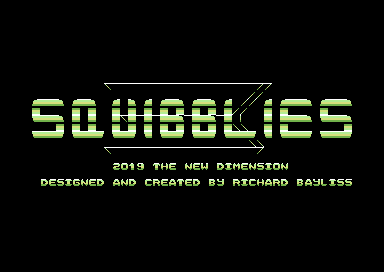
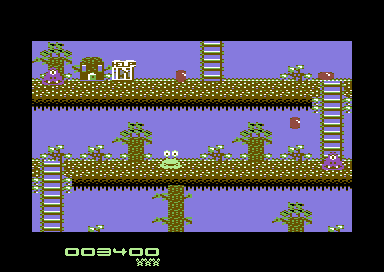
Now, although we could spend minutes or hours playing this game, just for the hell of it. We should do something really useful to it. Since you have the Action Replay/Retro Replay plugin installed. Press the FREEZE button (Or in Vice, ALT+Z), then, select the Machine Code Monitor option (Unless you have it set already.
Stage 2: Splitting the Game
Since the game has been loaded, and you have pushed the FREEZE button on your Action/Retro replay and selected (M) to enter the Machine Code Monitor (Or the monitor already kicks in to your screen). We have to extract the game data from the current freeze, for importing into the kickassembler source. To do this. We need to use the 'S' command. This is to save data from one area to another area.
The SEUCK game data that gets used is from $0900-$6580, and from $B6C0-$FFFA. The rest of the memory $6580-$B6C0 carries the editor code, which we seriously don't need to keep and can use for our own data and additional code. The Kickassembler SEUCK framework needs the game to be split into two different files.
Make a new D64, or if you have enough room on disk (Say about 200 blocks or more) you can use the same D64. We are going to split the game in two using the following command:
S "SQUIBBLIESPT1",8,0900,6580
S "SQUIBBLIESPT2",8,B6C0,FFFA
If you're using your own game for this method, you can simply use the same method, but use a filename for your own game. If you are using VICE, remember to DETACH D64 image after you have finished saving your game (After 5 seconds when the red/green light icon has gone out).
Stage 3: Exporting the split data to the framework
For this stage, you will need DIR MASTER or D64 EDITOR. In order to do this, you will need to load in the D64, which you last saved on, into either of the two D64 editors. Then select the two files and EXPORT them to the C64 folder as two PRG files. - Note also: The same method can also be done with music, if you composed music in DMC, relocated to $9000, $A000, just take your pick of memory area and then set up the tune values to allow play.
Stage 4: Frontend, Ending + Graphics
Using Charpad, you can design your own front end charset+graphics. Set the following options to your project. Tile Mode: Disabled, Map width = 40, Height = 25. Colours - by character. I have added the example character set and front end screen from squibbliesfrontend.ctm to give you an example the order of the character set. Where there's space, other characters can be used for additional characters. Here's my example for the front end.
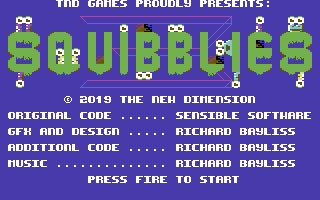

If you look at the character set above. It should start in order or letters, before some symbols. The Up arrow and Back Arrow symbols have been changed as a tick and cross for the front end. The up and back arrow chars are tick and cross, for the RUB/END feature in the high score name entry. Also the # and the $ keys are the music + sfx icons. You may have designed and created the graphics project, but what about putting it into your game project?
Simply go to the menu and select the following:
File / Import/Export / Export Charset - folder: C64\examplecharset.bin
File / Import/Export / Export Char Atrributes - folder: C64\exampleattributes.bin
File / Import/Export / Export Map - folder: C64\exampletitlescreen.bin
The same method can be done for the end screen, but you don't need to export the charset again into the code.
I hope this information helps.
Stage 5: The Source Code
This is where the real fun starts. The source code may be downloadable, but for those of you who want to see it live on this page - The code is self-explainable. Let's show you the source files (Simply CLICK on the filename to view the source + explanation).
First of all the source files should be as follows:
framework.asm - The main source file that should be compiled through KickAssembler. This links other source code, and binary data together to form a complete project after compiling through the KickAssembler
onetime.asm - This piece of source, installs the new features into the existing code of the SEUCK game. It POKEs new commands allowing the old front end to be bypassed, and also allows installing new in game enhancements, such as adding music, new colour checks, enemy detection, smart bomb effects, and other cool features.
titlescreen.asm - This is the main code that generates the brand new front end, with page flip, displaying the HIGH SCORE table. The code also has a GET READY and GAME OVER sequence, and end screen, for every time the game is complete, a new end screen takes place.
ingameenhancements.asm - Contains the main in game enhancements, linked to the SEUCK code. This sets up the background animation, smart bomb effect on bosses, colour change, object detection, etc.
hiscore.asm - The main code for detecting and generating the high score. Name, entry, etc.
Assembling and compiling the source
Enter the command prompt:
You can simply call the assembler to assemble the framework, by using the command:
java -jar "validpath\kicakassembler\kickass.jar" framework.asm
for example my path is:
java -jar "c:\kickassembler\kickass.jar" framework.asm
If no errors - brilliant you compiled it correctly, and there are no errors in the code. Otherwise try and investigate the problems. Could there be an error in your code. Are your path locations incorrect?
If successful, compress the project with one of your chosen crunchers - for example Exomizer
path\exomizer\win32\exomizer.exe sfx $0800 framework.prg -o mygame.prg
If successful compressing, the .PRG runs in VICE, this should be the final result:
New front end:
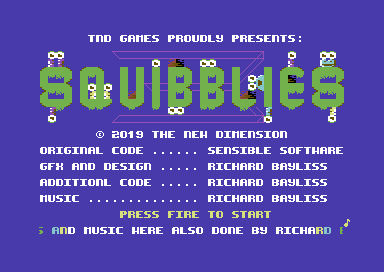
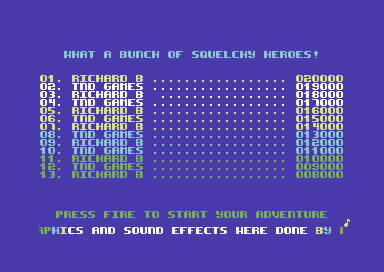
Hi score table, implemented inside the front end
Get Ready screen
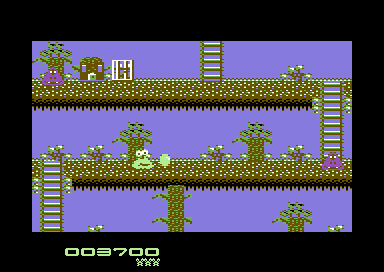
Game
Game Over
An added bonus ...
There's also a special SEUCK Redux version of Squibblies 3 now available to download from the TND Games page. It features improved gameplay, aiming enemies, the same type of front end+hi score table and much more. Please note that SEUCK Redux only works on PAL MACHINES.
KICK ASSEMBLER SEUCK FRAMEWORK VERSION 2
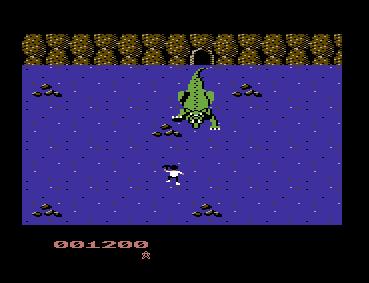
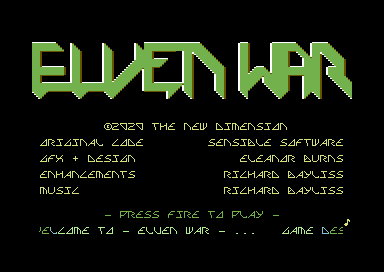
This is the latest version of the on-going Kick Assembler based SEUCK with Hi-Score table framework. It supports CharPad V2.0 exported files, such as charset, charset attributes, map (screen). Code has been moved around a little, and there are some handy features, in which makes enhancing your own SEUCK games slightly easier than the previous frame work - even if you cannot code. The code is pretty much documented. Example project this time is Eleanor Burn's classic Elven War. Make sure you have Action/Retro Replay plugged into your C64, VICE (or whatever) and on your PC, RELAUNCH 64, JAVA, KICKASSEMBLER and EXOMIZER in order to be able to use it.
Features:
- New Front end which displays the credits screen and flips to the high score table list
- Options for in game sound effects or music
- Optional Get Ready and Game Over screen
- Object detection and Full enemy explosion (Handy for collectibles or boss object types)
- End screen
- Optional player safe spawn position (Spawns the player in the last position before it died, avoiding getting stuck on background that forces the player to stop on push scrolling games)
- Enhancements are expandable.
- PAL/NTSC compatible (Although the score panel's lives will not be 100% on NTSC machines)
Future plans:
- Linked Players / Twin mode with shared score panel
- Custom score panel sprites (Once I can find a way to do this in SEUCK
- Bring back background animation code
- Support for expanded sprites
Download: KickAssembler SEUCK Framework V2
KICK ASSEMBLER FRAMEWORK V3
OLD FEATURES:
- Title + In Game music options
- Supports both Standard and Horizontal SEUCK builds
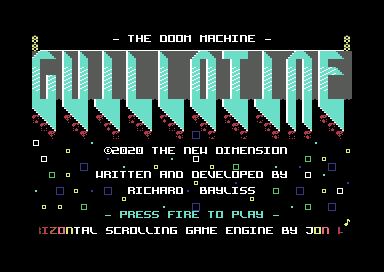
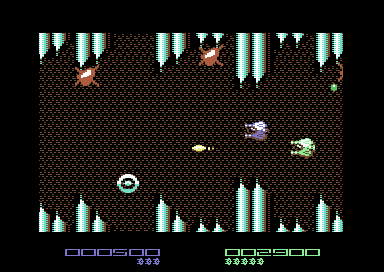
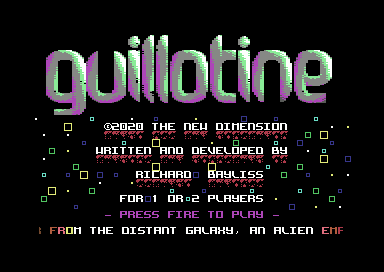
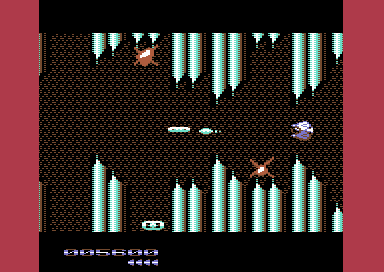
- Featured game: Guillotine, the Doom Machine
- Import Charpad RAW BIN files for title screen and end screen
- Customizable hi-score table
- Customizable features
- Enhancements are expandable
- Suport for music larger than $1000 bytes (Simply change the load address and relocate your tune to that address)
- Full Boss explosion (Now featuring background explosion effect)
NEW FEATURES:
- Custom Front End Charset animation (Please look at example Charpad file to know which 8 chars are the animation chars, and edit each frame to your own animation frame)
- Custom In game background animation (Can scroll down, or left)
- Sideways SEUCK scroller fixup (Stabilize the map scroller a little)
- Custom level colour scheme code
- Power Ups feature (Including sprite changing for bullets)
BUG FIXES:
- Player spawning at the top left of the screen, when safe respawn was disabled
- Music player slowing down completely when trying to detect PAL/NTSC system. PAL/NTSC music check has now been removed. Music on NTSC will play faster.
- Title Screen Colour bug fixed (Where char multicolour 2 overwritten char multicolour 3).
- Extra life bug issue fixed
FUTURE PLANS:
- Bitmap logo support (Colour RAM, Video RAM, Bitmap)
- Custom score panel (If I can find a way to do this feature)
- Sharing score (For players linked to one control)
- Support for expanded sprites
Download KickAssembler SEUCK FrameWork V3
Note: When editing the scroll text in KickAss SEUCK Framework. Please do not end the scroll by pressing RETURN after your message. This will produce a corrupt character before restarting the scroll text. Instead, just type a few spacebars then save the scrolltext.txt file. I willinvestigate this case to see how to prevent it. Then when V4 comes out, the problem should be fixed.
KICK ASSEMBLER FRAMEWORK V4
NEW FEATURES:
- Hi Score loader/saver as suggested by Didi (applies only to disk. If mastered to tape, loading/saving will be skipped)
- Power up features: based on sprite tables - Bullet upgrades (Optional)
- Power up features: based on sprite tables - Player transforming upgrade (Optional)
- A choice of 3 different front ends to use:
1. Normal front end from framework V3. Allows optional in game sound options, like in game music. Uses hiscore table (loader needs to be enabled in onetime.asm)
2. Restricted by stylish front end, which uses a multi colour bitmap logo for the title screen. (The 40x10 multicolour bitmap logo used in Guillotine V4 was generated from the C64 Logo Charset Generator) . Cannot use in game music if you use this feature.
3. Colour bar washing title screen, as requested by Pinov Vox. Note that this does not use additional in game enhancements apart from music player.
- Custom sprite expansion. You can play your games with MEGA sprites if you want to. Sprite sizes can be changed by X or Y axis
- Sprite/Background priority - handy for games where the player can hide behind a scene, if enabled. Note that the sprite can hide behind colours Background Multi Colour 2 and Char colours
- Full utility (included in the D64) - Buzzsaw - Koala Logo Cutting Machine: This tool will load in a koala paint file and then separates in to 3 small files, for use with this framework.
Download KickAssembler SEUCK FrameWork V4
Note: A read me file has been included to help you get started with some of the new features that have been made specially for this new framework. Here are some quick tips:
1. To enable/disable certain features you need to open variables.asm and read those carefully
2. Read the comments very carefully in order to prevent making errors with compiling, ensure filenames are correct
3. in framework.asm type in the correct frame work assembly source to import and then open the chosen framework file and edit the files.
4. To fit a multi-colour logo into your title screen use Buzzsaw V1.0 (Provided in the D64 with the download).
5. Try to not overload the code, otherwise errors will occur
6. Use CharPad to edit the multcolour sprite score panel. Do not move the characters to another area in CharPad else you will make bugs
7. If you don't like depack effects in your own productions when, Exomizer. Simply use -n instead of -x2 and perhaps add -s "lda #$0b sta $d011" to switch the screen off
8. Have fun, try to make the production your own (if you can code), don't worry if you cannot.
Small comment to note :
Getting the correct colour + Animation type
You may notice that when compiling and running an enhanced SEUCK game that uses either player or player bullet animation in directional / directional hold as power ups + shield. You need to be aware that the values of COLOUR for sprites are different. The byte value is based on animation type and colour. In order to help you out a bit wirh this framework. I have added a little table to help you:
| Colour | Byte Value (Anim type 0 - 18) | Byte Value: Directional | Byte Value: Directional Hold |
| Black | $00 | $10 | $30 |
| White | $01 | $11 | $31 |
| Red | $02 | $12 | $32 |
| Cyan | $03 | $13 | $33 |
| Purple/Violet | $04 | $14 | $34 |
| Green | $05 | $15 | $35 |
| Blue | $06 | $16 | $36 |
| Yellow | $07 | $17 | $37 |
| Orange | $08 | $18 | $38 |
| Brown | $09 | $19 | $39 |
| Light Red/Pink | $0a | $1a | $3a |
| Dark Grey | $0b | $1b | $3b |
| Medium Grey | $0c | $1c | $3c |
| Light Green | $0d | $1d | $3d |
| Light Blue | $0e | $1e | $3e |
| Light Grey | $0f | $1f | $3f |
Example of the player shield and default colour:
Let us say for example you are writing a vertical or horizontal scrolling shoot 'em up, using the Shoot Em Up Construction Kit. Your player uses directional fire. Your ship's default colour for player 1 is CYAN and you want the player's colour to flash in a blue scheme when a shield has been activated. Player 2 is LightRed/Pink. It also uses directional hold and you want to flash the the values in ingameenhancements.asm (Lines 1016 - 1023). The following should be entered:
P1DefaultColour: .byte $33
P2DefaultColour: .byte $3a
P1ShieldColour: .byte $36,$3e,$33,$31,$33,$3e,$36
P2ShieldColour: .byte $32,$3a,$37,$01,$37,$3a,$32
If the value of each byte for the colours started with $0x. Instead of $3x. The colour will still be correct, but the player's animation cycles through all of the 18 tables. You will want to prevent this.
Power Up Upgrades for directional + directional hold tables
In order to get these. You must refer to your game work file finished SEUCK. You need to switch to animation type: 18 to get the CORRECT order of the 18 bytes. These must then be entered into the player or bullet upgrade table (Yes, all 18 bytes).
(See lines: 1057 to 1161 in ingameenhancements.asm for example)
If you are using animation type 1-18. To set a loop for the animation. (Unless animation type = 18 of course), add $fe (or 254) as one of the bytes next to the last animation frame for the object. You still need 18 bytes, so after adding a loop. You might want to add 126 to the remaining of the bytes of all of the power up bullet / player ship tables.
IT IS POSSIBLE TO MIX PLAYER + BULLET ANIMATION TYPE / COLOUR
To do this, you need to set the value of the Player 1 Bullet colour ($2CA7) ... or for Player 2 Bullet ($2CE3)
And that wraps up everything.